
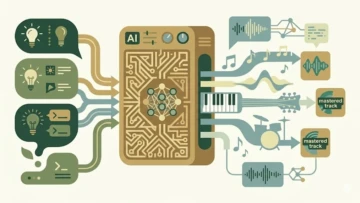
AI music tools are lowering the barrier to entry for creators who want professional-sounding tracks without formal training. Platforms like Mubert allow users to generate royalty-free instrumentals in minutes — no studio or music theory degree required.
Here’s a practical, beginner-friendly guide to getting started.
Why AI Music Tools Work for Beginners
Traditional music production requires:
- Understanding melody and harmony
- Mastering DAWs and plugins
- Access to instruments or sample libraries
AI generators handle most of that technical heavy lifting. You describe what you want in plain language, and the system translates it into a structured track.
Instead of learning theory first, you learn by iterating.
Choosing the Right Platform
If your goal is instrumental background music — for YouTube, gaming, apps, or meditation — Mubert is designed specifically for that use case.
It stands out for:
- Royalty-free licensing options
- A wide range of genres (ambient, electronic, lo-fi, cinematic)
- Fast generation times
- API access for developers
For beginners focused on instrumentals rather than vocals, it offers one of the smoothest entry points.
Step-by-Step: Generate Your First AI Track
Step 1: Define Your Concept
Before typing anything, clarify:
- Purpose (video background, study session, podcast intro)
- Mood (calm, energetic, dark, uplifting)
- Style (acoustic, electronic, orchestral)
- Duration (30 seconds? 5 minutes?)
- Tempo (slow, mid-tempo, fast)
Example concept:
“5-minute calm ambient track with soft piano and light beats for productivity content.”
Clarity at this stage prevents generic output later.
Step 2: Craft a Strong Prompt
AI tools respond to specificity.
Weak prompt:
“Make happy music.”
Strong prompt:
“Upbeat indie pop with acoustic guitar and drums, cheerful mood, 120 BPM.”
Include:
- Genre
- Instruments
- Mood
- Tempo or pacing
- Context of use
The more descriptive you are, the better the result.
Step 3: Generate the Track
On Mubert:
- Create an account
- Click “Generate Track”
- Enter your detailed prompt
- Choose duration and type
- Adjust genre or activity filters if needed
- Click generate
- Listen and evaluate
Generation typically takes seconds.
Step 4: Refine Through Iteration
Rarely is the first output perfect.
Try:
- Adding “gentle” if it’s too intense
- Specifying instruments more clearly
- Adjusting tempo descriptors
- Shortening or extending duration
Generate 3–5 variations. Compare them. Keep the strongest version.
Step 5: Export and Check Licensing
Before downloading, confirm:
- Personal vs. commercial license
- Platform usage rights (YouTube, ads, apps)
- Any attribution requirements
Never skip this step if monetization is involved.
Essential Tips for Better Results
Start Simple
Begin with instrumental backgrounds before attempting complex genre blends.
Study Your Target Genre
Listen closely. Note:
- Instrument layering
- Tempo range
- Energy curve
- Structure
Use those observations in your prompts.
Build a Prompt Library
Save prompts that produce strong results. Over time, you’ll develop a reusable system.
Learn Basic Music Terms
Understanding BPM, rhythm, chord progression, and dynamics helps you communicate more precisely with AI tools.
Always Polish the Final Track
Even AI output benefits from:
- Fade-ins and fade-outs
- Volume balancing
- Light EQ or trimming
Small edits elevate perceived quality.
Common Mistakes to Avoid
- Being too vague – Generic prompts produce generic tracks.
- Ignoring licensing rules – This can create copyright issues later.
- Choosing the wrong tool – Some platforms specialize in vocals; others in instrumentals.
- Publishing raw output without edits – Minor tweaks improve professionalism.
- Giving up after one try – Prompting is a skill. It improves with repetition.
Where AI Music Is Headed
AI music is increasingly integrated into:
- Content creation workflows
- Gaming sound design
- Fitness and meditation apps
- Marketing and ad production
- Developer tools via APIs
For creators, it’s less about replacing artistry and more about accelerating production.
Summary
Generating AI music is straightforward:
- Define your concept clearly
- Write detailed prompts
- Generate multiple versions
- Refine through iteration
- Export with proper licensing
With platforms like Mubert, beginners can produce polished, royalty-free tracks in minutes. The key isn’t technical mastery — it’s learning how to communicate your creative intent effectively.