

This case study is provided by an anonymous media buyer with many years of experience in the affiliate industry.
Sometimes, the best results come from pure experiments — the kind where you enter new territory with no expectations, no pre-landers, and only clean data to guide your decisions.
That’s exactly how this campaign started.
I’m an experienced media buyer, but this particular test was different. I had never bought traffic in most of these GEOs before. My only goal was to test Clickaine’s popunder traffic using an Adult Smartlink from CPA.house — and see if the setup could generate profit without any advanced cloaking or complex funnels.
The outcome?
Within five days, the campaign turned profitable. By the 20th day, revenue had nearly doubled my total ad spend — reaching an impressive +75% ROI across 12 GEOs.
Here’s the full story — what I did, what I learned, and how you can replicate it on your next campaign.
Campaign Key Takeaways
- Ad Format: Popunder
- Traffic Source: Clickaine
- Offer Type: Adult Smartlink (CPA.house)
- GEOs: US, UK, DE, CA, AU, AT, CH, NL, BE, NO, FI, DK
- Devices: Mobile only (Android 10+)
- Run Period: Sept 5–24, 2025
- Total Spend: $862
- Total Revenue: $1,512
- Profit: $650
- Average ROI: +75.48%
- Top GEOs: US, UK, CA, DE
Starting Point: Why I Chose This Setup
I wanted to test something simple, scalable, and beginner-friendly — something that would prove whether Clickaine’s popunder traffic was high enough quality for direct smartlink monetization.
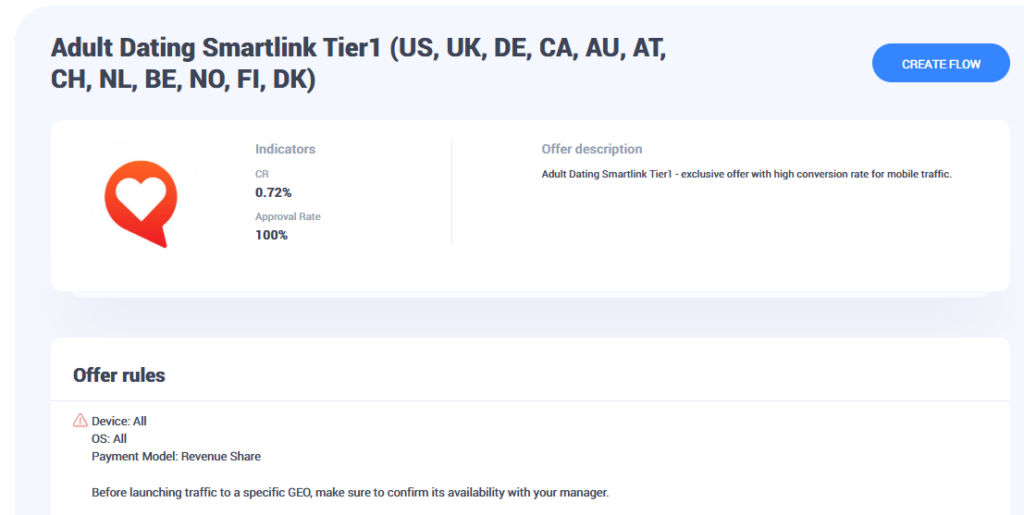
The Adult Dating Smartlink from CPA.house checked all the right boxes. It came with:
- A 0.72% conversion rate (CR)
- 100% approval rate
- Full cross-device compatibility
CPA.house encouraged targeting Tier-1 GEOs like the US, UK, Germany, and Canada, so I extended that recommendation to 12 high-income regions in total — mostly English-speaking and Western European markets where CPMs were reasonable but still competitive.
No custom pre-landers. No additional filters. The goal was pure data gathering — to see which GEOs, devices, and placements performed best on raw popunder traffic.
Step 1: Setting Up a Flow in CPA.house
Before I could send traffic, I had to create a flow inside the CPA.house dashboard. Think of this as your base tracking setup.
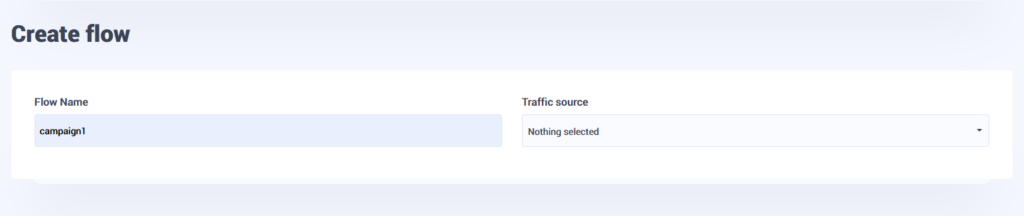
- Create Flow – I named mine “campaign1” and set Clickaine as the traffic source.
- Select Landings – I chose “All Landings” to let the smartlink auto-optimize.
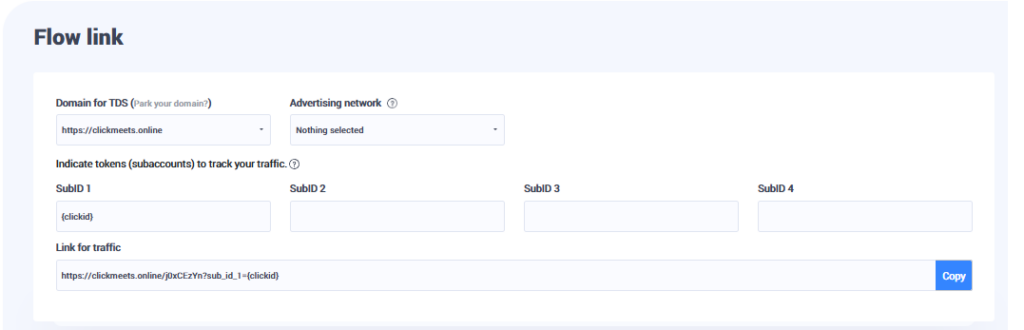
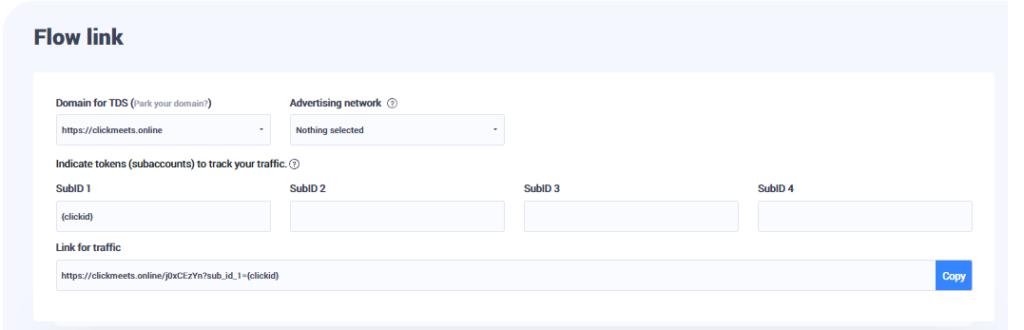
- Generate Link – CPA.house produced a tracking link with an embedded {clickid} token for accurate reporting.
- Set Global Postback – This step was crucial for conversion tracking — it ensured that each conversion fired back to Clickaine automatically.
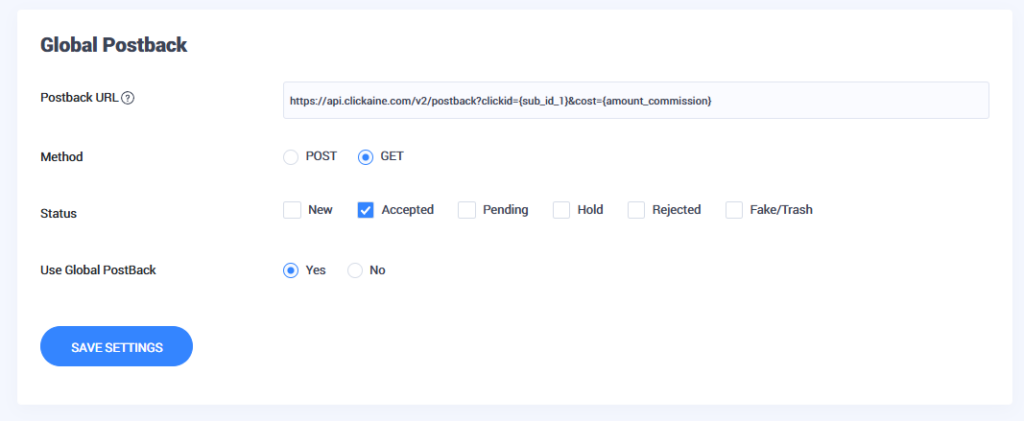
In about five minutes, I had a fully ready link to run — clean, tokenized, and optimized for click-level tracking.
Step 2: Creating a Popunder Creative in Clickaine
Next, I moved to the Clickaine dashboard and created my first creative.
I selected:
- Ad Format: Popunder
- Category: Adult
- Link: My CPA.house smartlink (with {clickid} token)
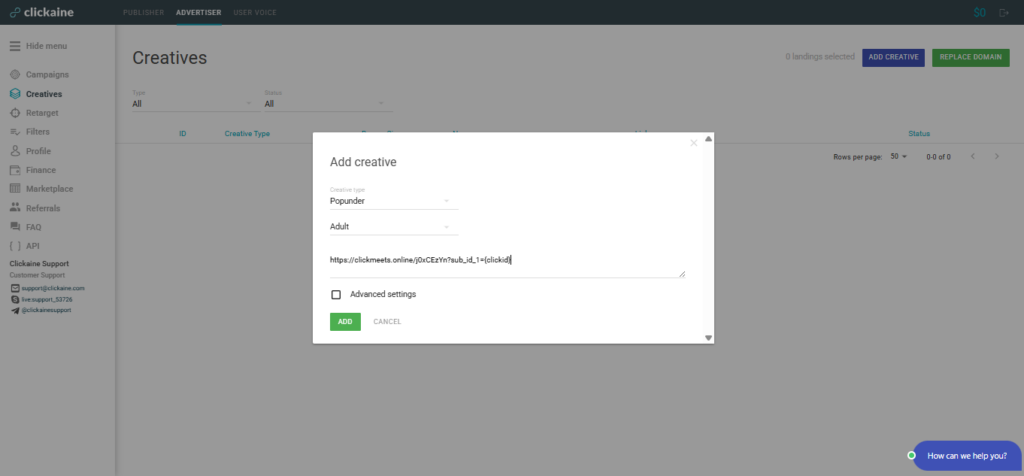
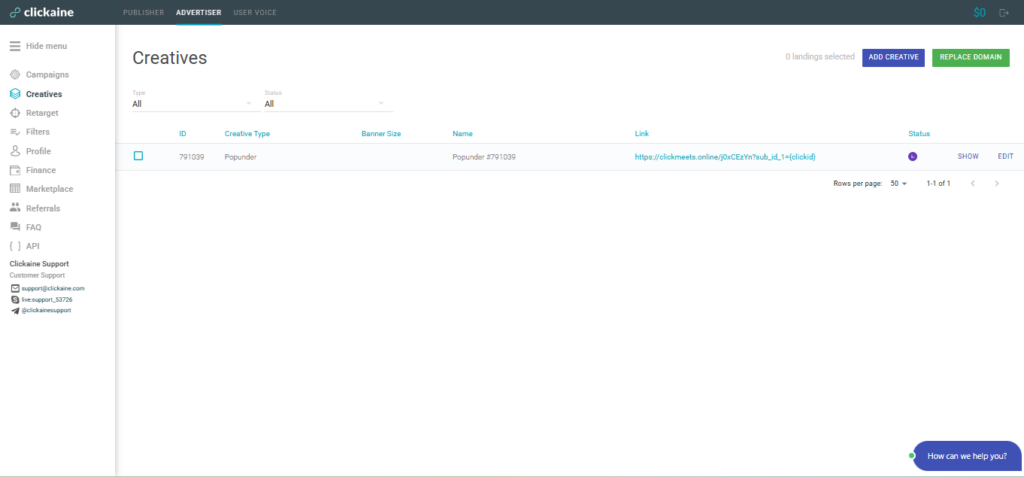
Clickaine sent it for moderation, which took only a few minutes. Once approved, the status changed from Pending to Active, and I was ready to launch the campaign.
Funding the account was straightforward. Clickaine supports multiple deposit options, and the minimum deposit is just $20, so there’s no barrier to entry even for small test campaigns.
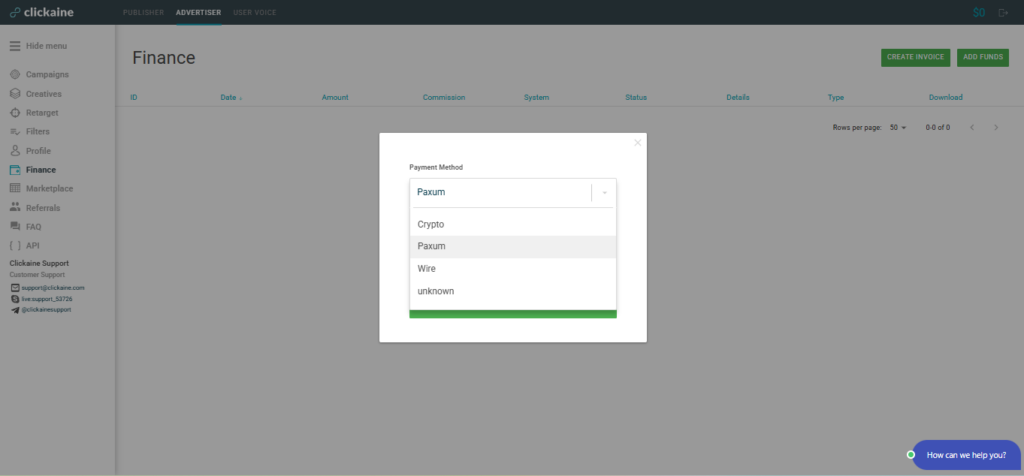
Step 3: Campaign Setup & Targeting
Under Campaigns → Create New, I filled in the details:
- Campaign Name: Dating Smartlink 9117
- Bidding Type: Smart Bidding (auto-optimization on CPM basis)
- Starting CPM: $0.20
- Daily Budget: $20
- Site Type: All
- Site Category: Adult
- Devices: Mobile only
- OS: Android 10+
- Languages: English
- Frequency Cap: 1 unique impression per user every 10 hours
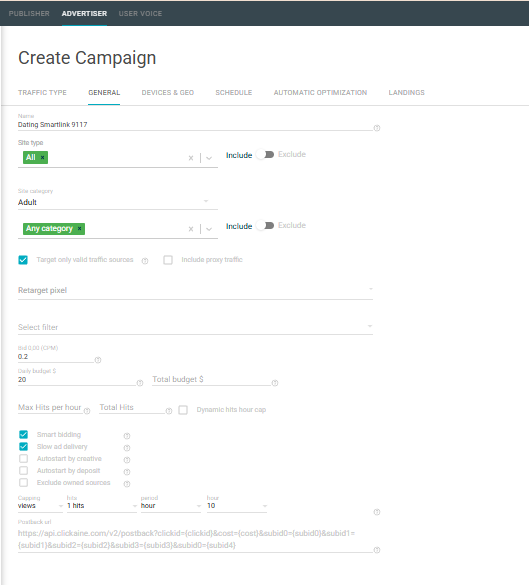
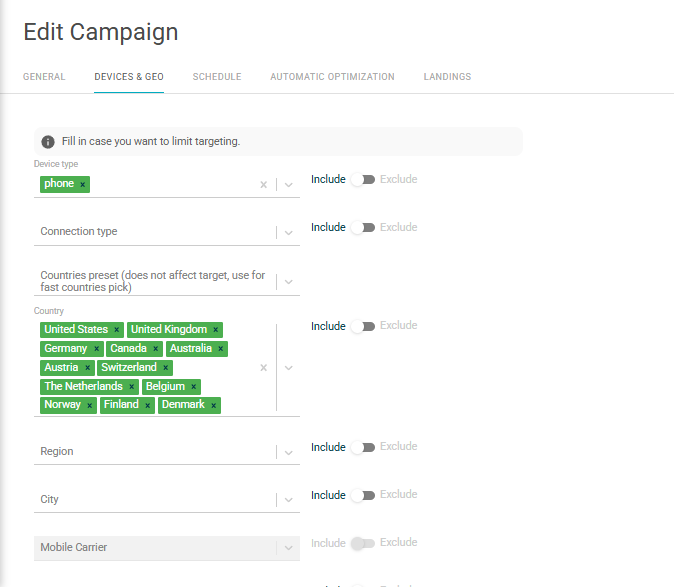
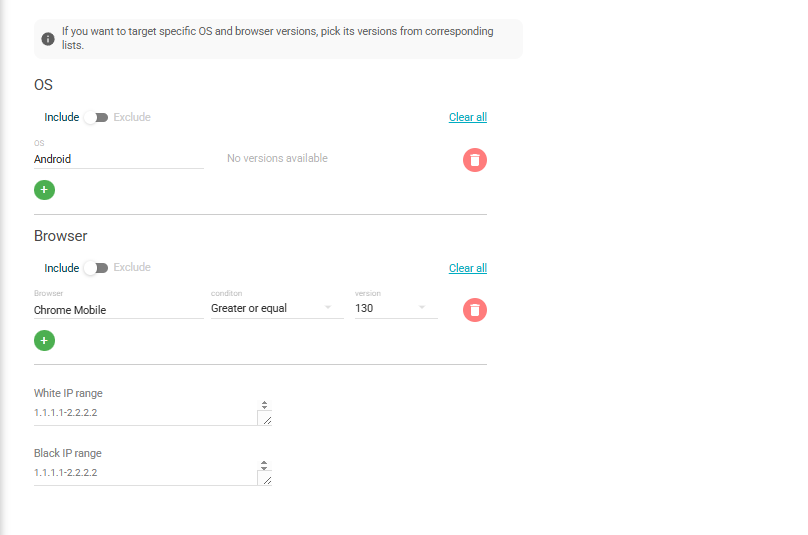
Finally, I linked the creative (ID #791039) and double-checked that the postback and tokens were syncing correctly. That’s the entire setup — no pre-landers, no cloaking, no split tests at this point. Just hitting “Launch” and letting data flow.
Stage 1: Raw Traffic Test (Sept 5–9)
The first few days were bumpy.
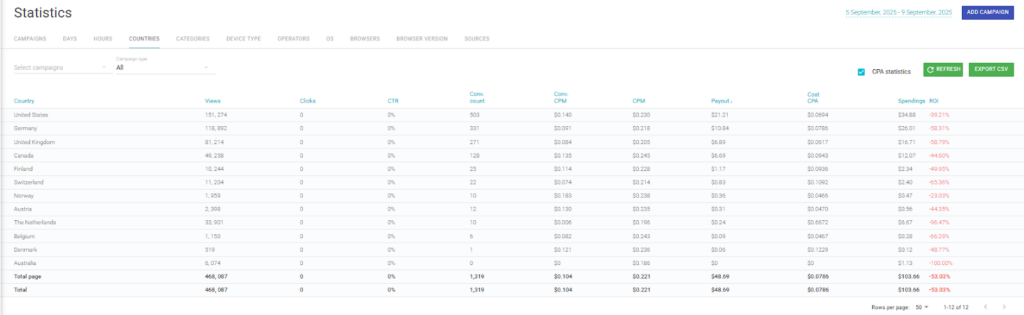
I ran the campaign wide — all 12 GEOs active, no filters, $50/day total budget. Within 48 hours, it was clear that not all locations were performing equally.
- ROI started around 80%;
- Some GEOs like Finland and Denmark barely converted;
- Others — particularly the US, UK, Canada, and Germany — began generating steady clicks and some conversions.
It wasn’t profitable yet, but I could see which doors were opening. That early separation between strong and weak GEOs became the roadmap for my optimization phase.
Stage 2: Optimization & Whitelisting (Sept 8–14)
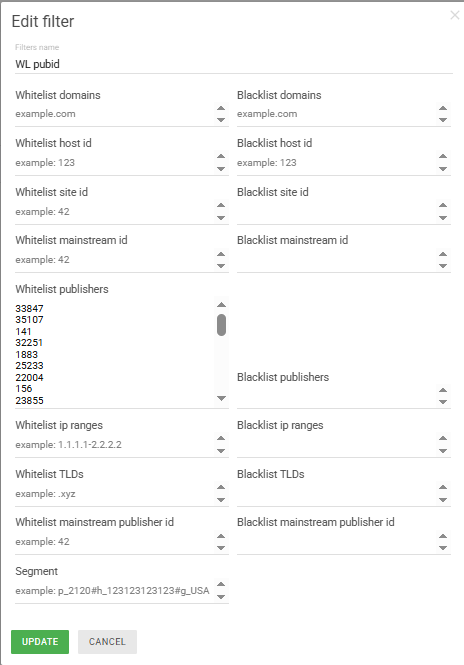
Clickaine’s real-time reporting made optimization easy. I reached out to the account manager, and we started building a publisher whitelist of the zones that recorded confirmed conversions.
Here’s what we changed:
- ✅ Whitelisted top publishers & zones — only kept the high-performing IDs;
- ✅ Increased CPM from $0.20 to $0.40 for better-quality inventory;
- ✅ Focused budgets on the 4 winning GEOs (US, UK, CA, DE);
- ✅ Adjusted frequency cap to one impression per user per day;
These changes made an immediate difference.
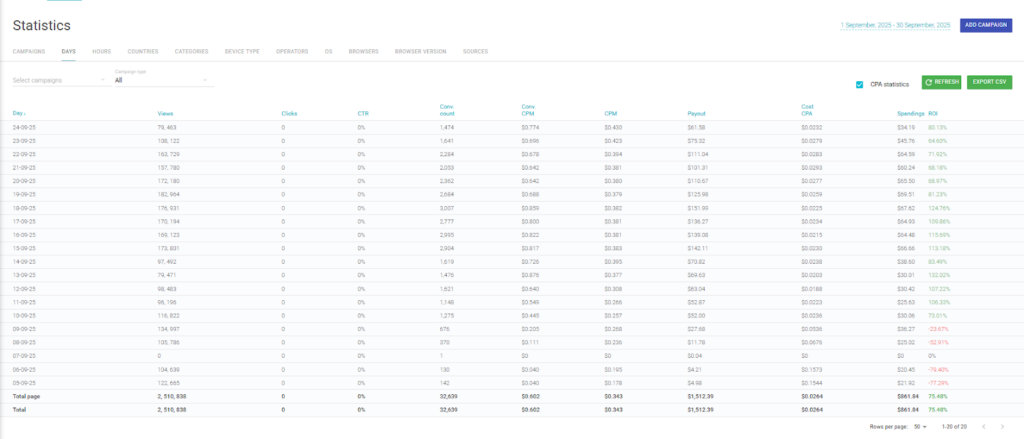
- By September 9, ROI had already improved to –20% (from –80%).
- By September 10, the campaign went profitable with +70% ROI.
From that point onward, the trend line stayed green. Every day after September 10, ROI was positive, peaking at 132% on the best day and settling at an average of +75.48% across the test period.
Stage 3: Scaling Profitable Traffic (Sept 11–24)
Once the whitelist was locked in, the campaign practically ran itself.
The spend climbed consistently while maintaining profit margins. I fine-tuned bids slightly across the top GEOs, allowing Clickaine’s smart bidding system to auto-optimize impressions toward the most converting sources.
The UK and Canada stood out for stability — they brought high-quality traffic with predictable conversion rates and very consistent ROI.
By the end of the run:
- Total Spend: $862
- Total Revenue: $1,512
- Profit: $650
- Average ROI: +75.48%
- Best ROI by GEO: UK (116%), US (91%), CA (94%), DE (21%)
The Key to Profit: Source Quality and Whitelisting
If there’s one lesson here, it’s this: traffic source quality makes or breaks your ROI.
Popunders can be tricky, but when you filter out low-quality publishers, the results change dramatically.
The publisher whitelist created with my Clickaine manager was the single most impactful action. It immediately reduced junk traffic and allowed the algorithm to focus spending on proven, conversion-backed placements.
This wasn’t about pushing more volume — it was about refining quality and making every impression count.
What Surprised Me Most
I went into this expecting mediocre results — popunder traffic often gets a bad reputation for low engagement. But a few things completely flipped my expectations:
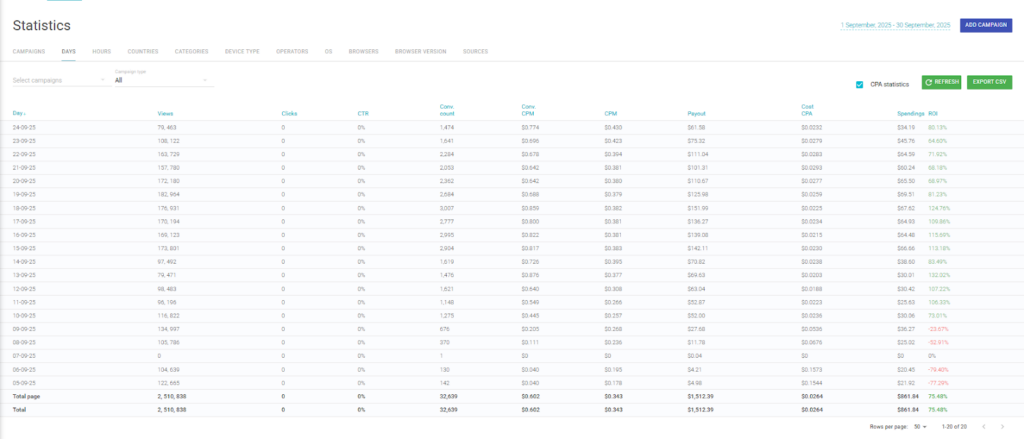
- Optimization speed: within a few hours of filtering, the ROI curve turned positive;
- Manager support: Clickaine’s team helped manually verify performing zones during the test;
- Traffic transparency: unlike some networks, Clickaine’s reporting dashboard updates in near real-time, so you never fly blind;
- Lower-than-expected entry costs: with just $20 to start and a $0.20 starting CPM, it’s easy to test hypotheses without overcommitting.
These small but meaningful advantages make Clickaine particularly beginner-friendly — yet powerful enough for experienced affiliates who want quick test cycles.
Why I’ll Keep Using Clickaine for Future Smartlink Campaigns
After this campaign, it’s clear that Clickaine’s combination of smart bidding, targeting control, and manager-assisted optimization makes it ideal for running smartlink offers at scale.
Here’s what stood out:
- 🧭 Accurate targeting — by mobile OS, GEO, frequency, and publishers;
- 🔍 Transparent statistics — clean data with no reporting delays;
- ⚙️ Customizable bid strategies — gives flexibility between exploration and aggressive scaling;
- 🤝 Responsive support — direct communication when you need real-time decisions;
- 💡 Beginner-friendly entry point — no need for cloaking or pre-landers to gain traction.
For anyone testing popunder or smartlink offers in Tier 1 GEOs, this is a great combination.
Final Takeaways
Over the course of 20 days, I turned a simple experiment into a 650 USD profit with a +75% ROI.
And the best part?
It required no technical hacks — just clean tracking, smart targeting, and timely optimization.
| Spend | $862 |
| Revenue | $1 512 |
| Profit | $650 |
| Average ROI | +75.48% |
| Top GEOs | US, UK, CA, DE |
If you’re testing new verticals or offers, start simple. Let the numbers speak first, then refine with data. That’s exactly what made this Clickaine + CPA.house combo work.
Ready to Try It Yourself?
You don’t need to be a media buying veteran to get results like these. Start with a smartlink, run popunder traffic, and learn from the first few days of data — the insights are worth it.
Register with Clickaine and launch your first campaign today.
Experiment smart, optimize fast, and keep your profits climbing.
Sometimes, simplicity is all it takes to win in affiliate marketing.