


BinoPartner features, and traffic monetization schemes. It's gonna be hot!
Binary options, Forex, and crypto futures all fall under the trading vertical, but their audiences don’t always overlap. That means the approaches to driving traffic can differ as well. A funnel that converts well for crypto futures might not deliver the same results for binary options.
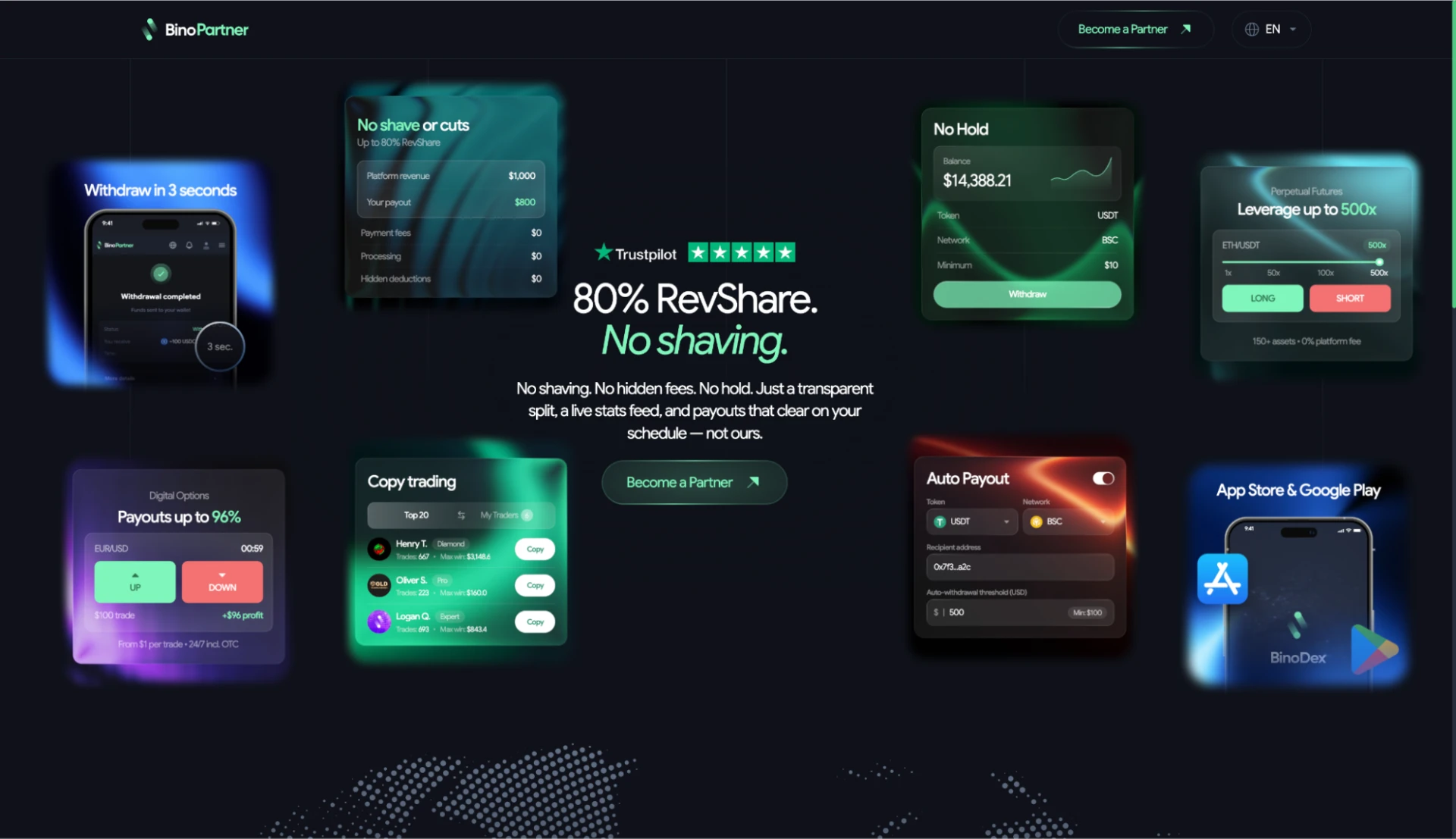
BinoPartner offers affiliates several trading markets to work with. The affiliate program operates as a direct advertiser, with its in-house product, BinoDex, bringing together binary options, Forex, and crypto futures.
The platform has also recently introduced sports and event betting (Prediction Markets), covering sports matches, cryptocurrency price movements, and other events. The same traffic media buyers already send to sportsbooks can be used for this product directly. This makes BinoPartner worth considering for betting affiliates who haven’t worked with trading offers before.
In this review, we’ll take a closer look at BinoPartner, covering its affiliate terms and the trading markets available for promotion. We’ll also explore the affiliate dashboard, the tools available to media buyers, and how payouts work.
BinoPartner Advantages
You don’t need previous experience in the trading vertical to start working with BinoPartner. There’s no requirement to provide statistics from past campaigns when registering, and once your account is approved, you’ll get access to all trading markets.

There are several other advantages worth considering when choosing this affiliate program.
Creative and technical support. Every affiliate gets a dedicated account manager who can help with postbacks, integrations, and negotiating custom terms. BinoPartner provides ready-made promotional materials, and you can also request custom creatives tailored to your traffic source.

Flexible traffic requirements. BinoPartner accepts most popular traffic sources, including incentivized traffic. Brand bidding, bots, and fraudulent traffic are prohibited. During the approval process, your account manager will ask about your traffic sources, GEOs, and estimated volumes. Previous campaign statistics aren’t mandatory, although providing them may help speed up account approval.
Convenient conditions for traders. BinoDex has no KYC at all, and the minimum deposit is just $5. Traders can fund their accounts using cryptocurrency or bank cards in over 180 countries, with withdrawals taking just 2–5 seconds. The platform is available in 11 languages and offers apps for both iOS and Android.
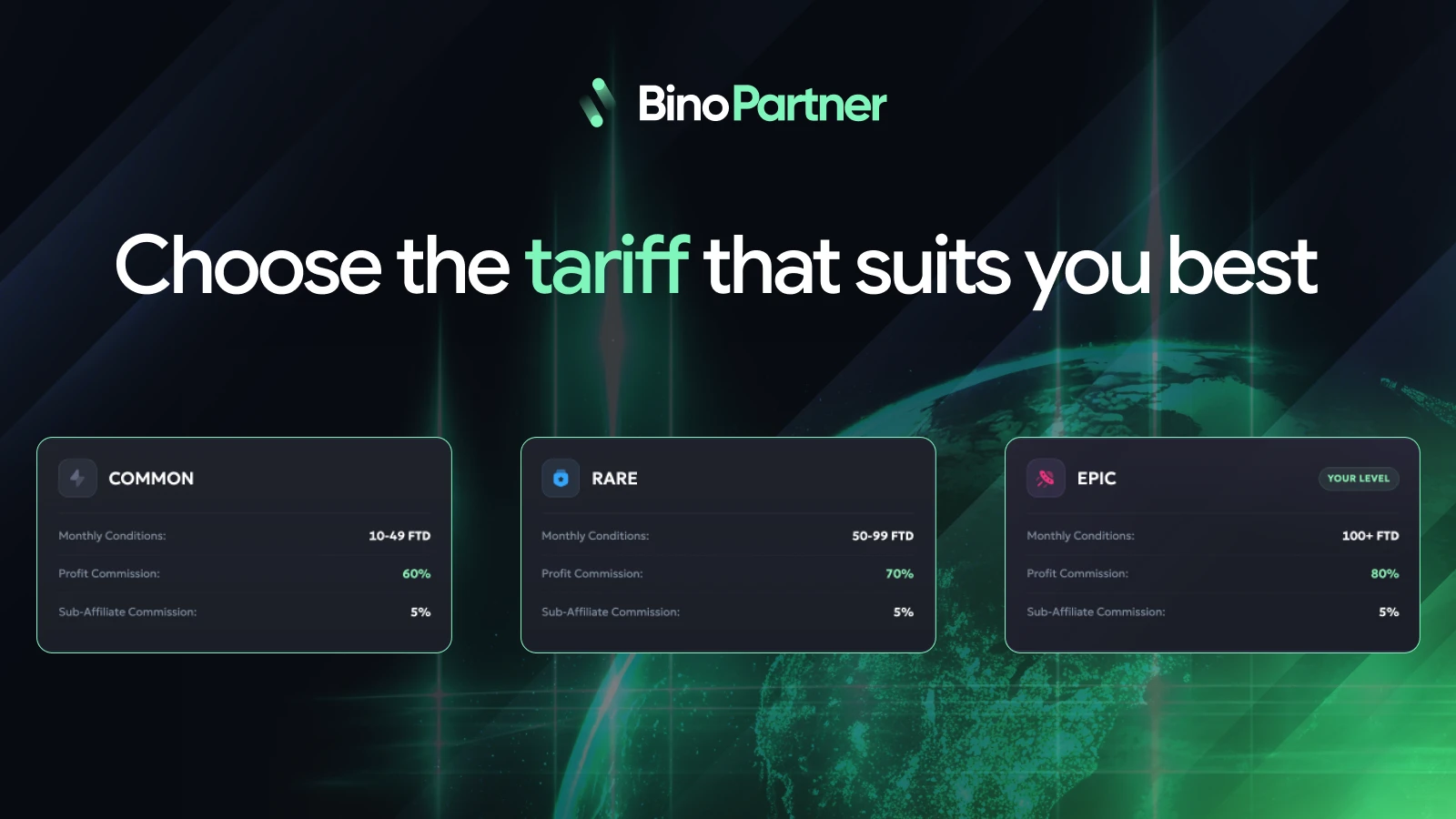
Competitive affiliate terms. BinoPartner pays up to 80% lifetime RevShare on GGR, with no deductions.
There’s also a special bonus for our readers. By signing up through the link in this review, you can start earning the full 80% rate immediately, without having to complete a trial period at a lower rate.
In-house offers. BinoPartner is a direct advertiser offering four trading markets through its own platform, BinoDex.
Alongside binary options, affiliates can promote Forex, crypto futures, and sports and event betting (Prediction Markets). All offers are available as soon as your account is activated.

24/7 payouts. You can withdraw earnings starting from $10 with no hold period. Payout requests can be submitted at any time, including weekends. Automatic withdrawals are also available and can be triggered once your balance reaches a specified amount.
How to Get Started with BinoPartner
BinoPartner uses a semi-closed registration process. First, you need to create an account and then confirm your traffic sources with an affiliate manager. You don’t have to provide statistics from previous campaigns. It’s enough to share information about your traffic sources and GEOs.
To register:
- Go to the BinoPartner website and click “Become a Partner.”
- Sign in with Google or enter your email address to receive a login code.
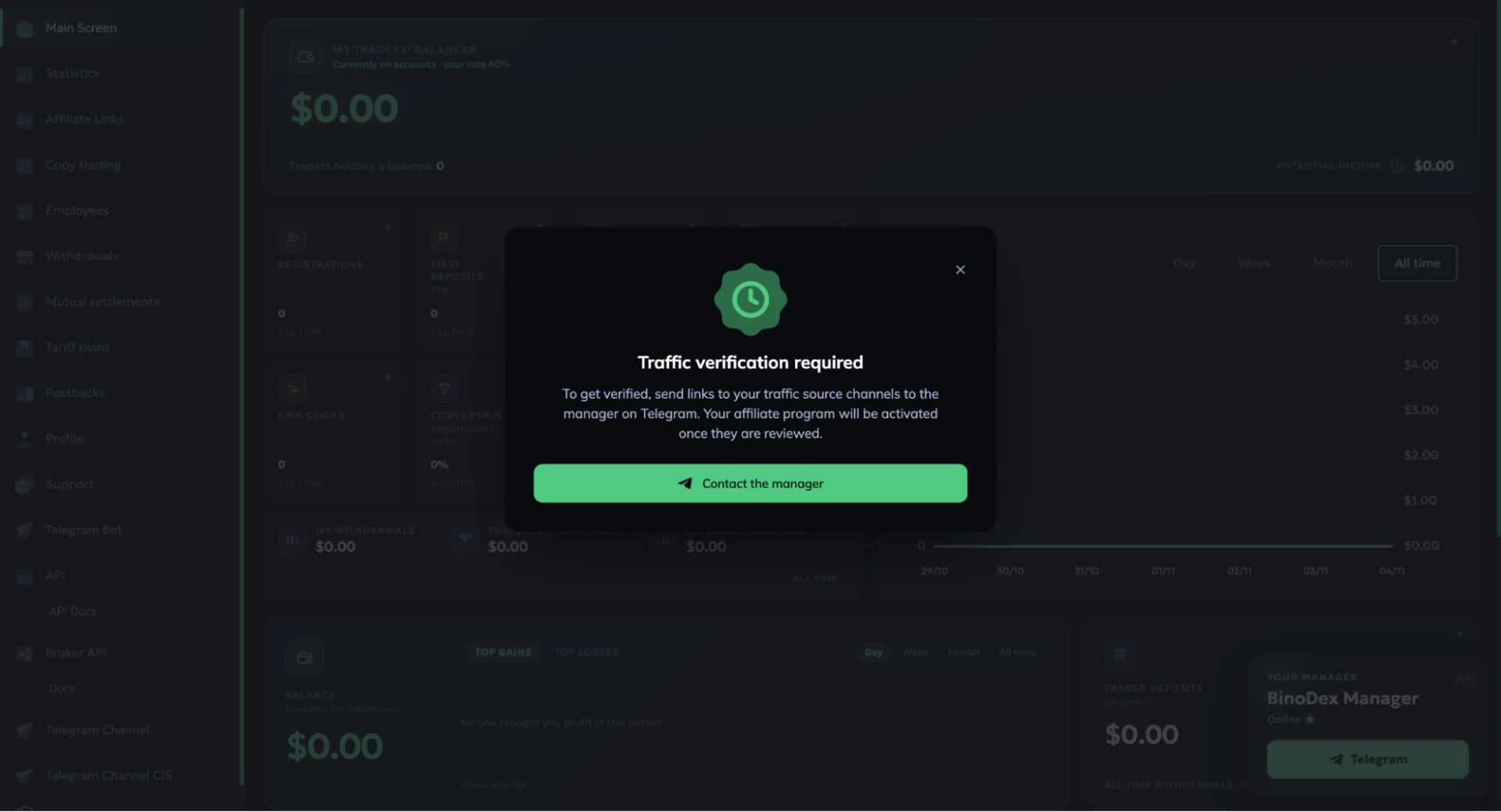
- Contact an affiliate manager on Telegram through your dashboard and share your traffic sources, GEOs, and estimated traffic volumes. Once your account is approved, you can start working with the offers.
BinoPartner Affiliate Dashboard Overview
The BinoPartner homepage features a dashboard with traffic statistics. Here, you can check clicks, registrations, FTDs, total deposit amounts, and affiliate earnings. EPC, conversion rates, and average deposit amounts are also available to help you evaluate campaign performance.
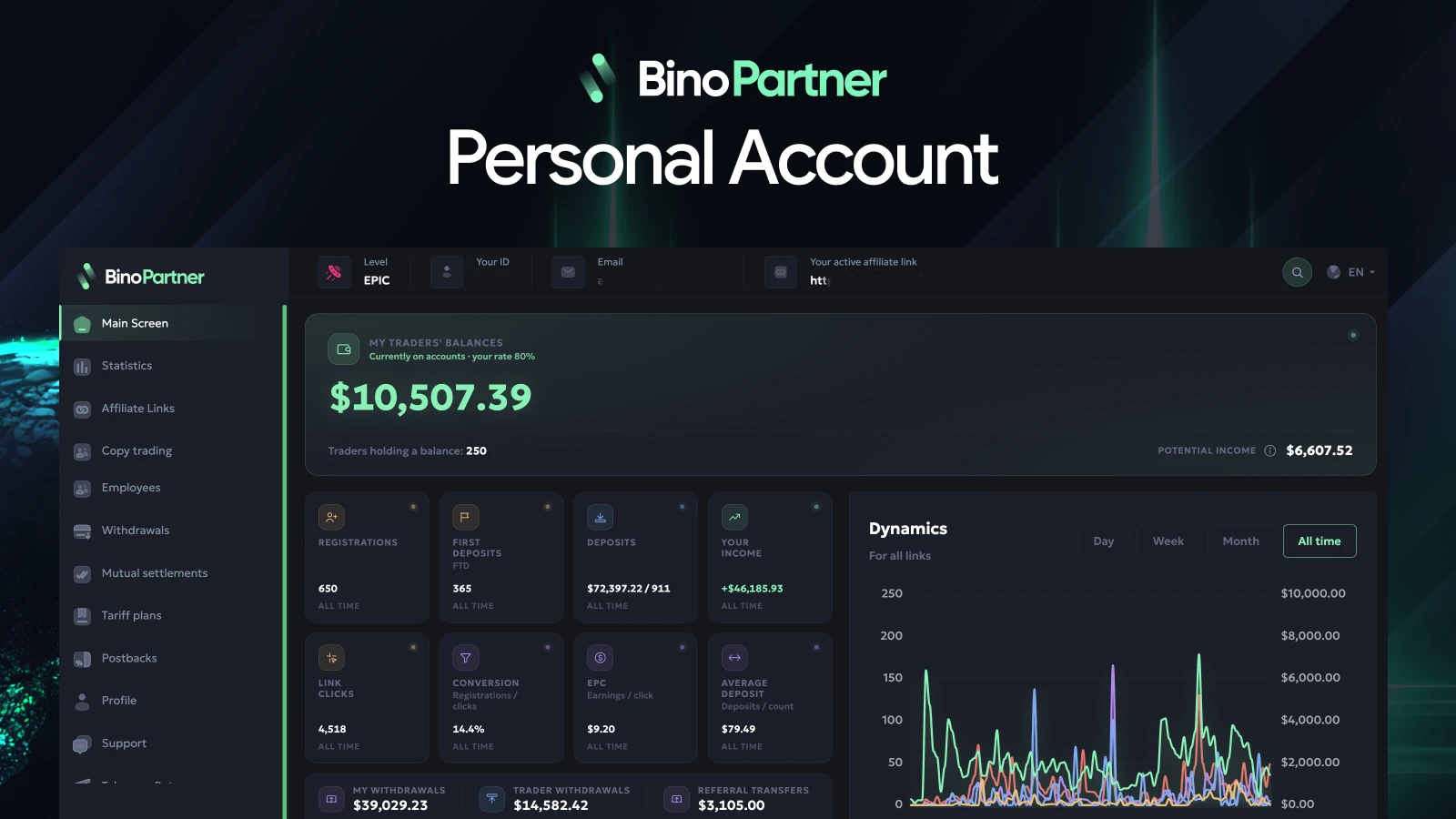
The chart lets you track performance over a selected period. The main dashboard also displays your referred traders’ balances, potential RevShare earnings, and the amount available for withdrawal.
Statistics
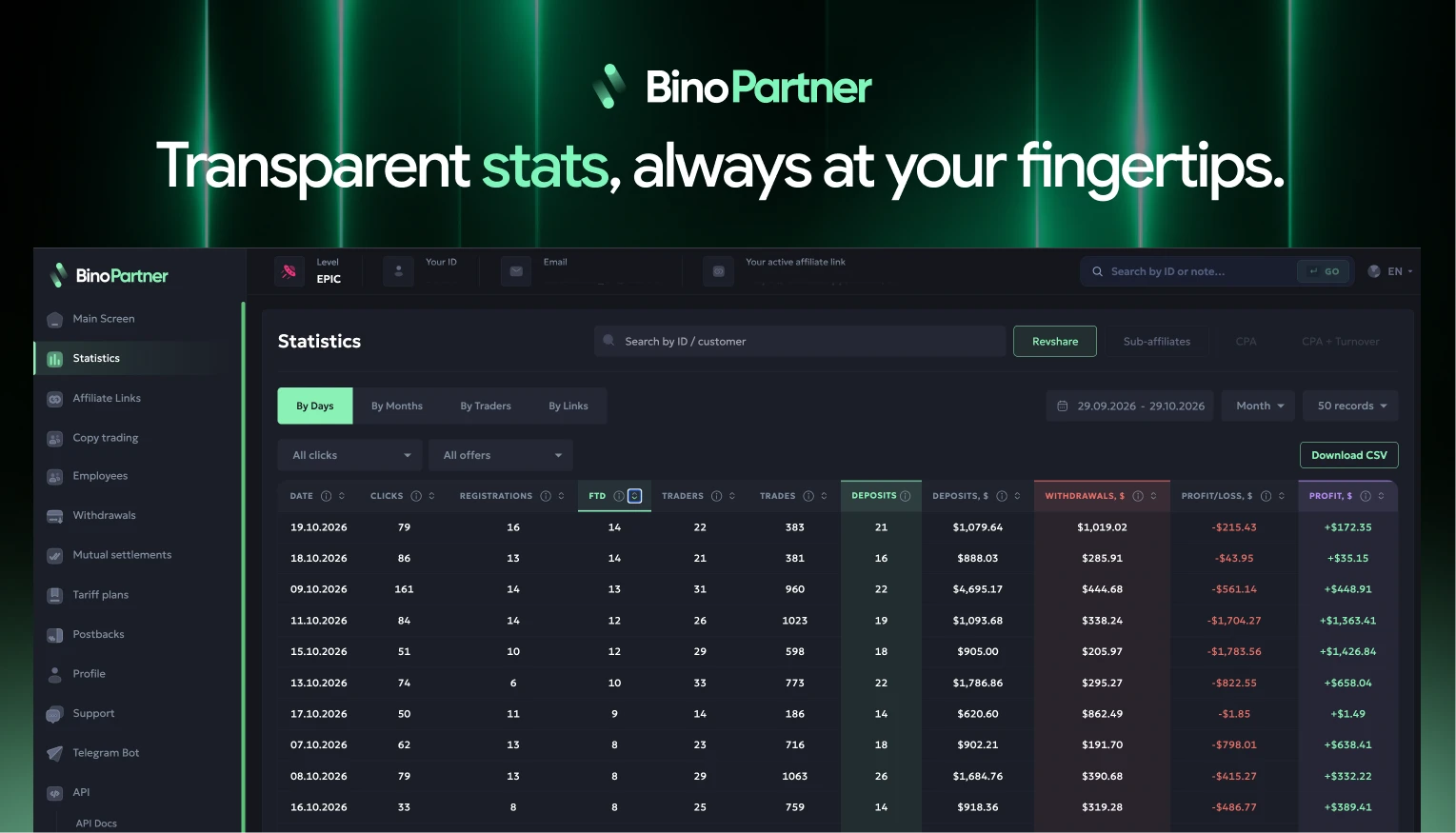
Here, you can explore detailed reports on your campaigns. The reports show clicks, registrations, FTDs, the number of trades, deposit amounts, and withdrawals.
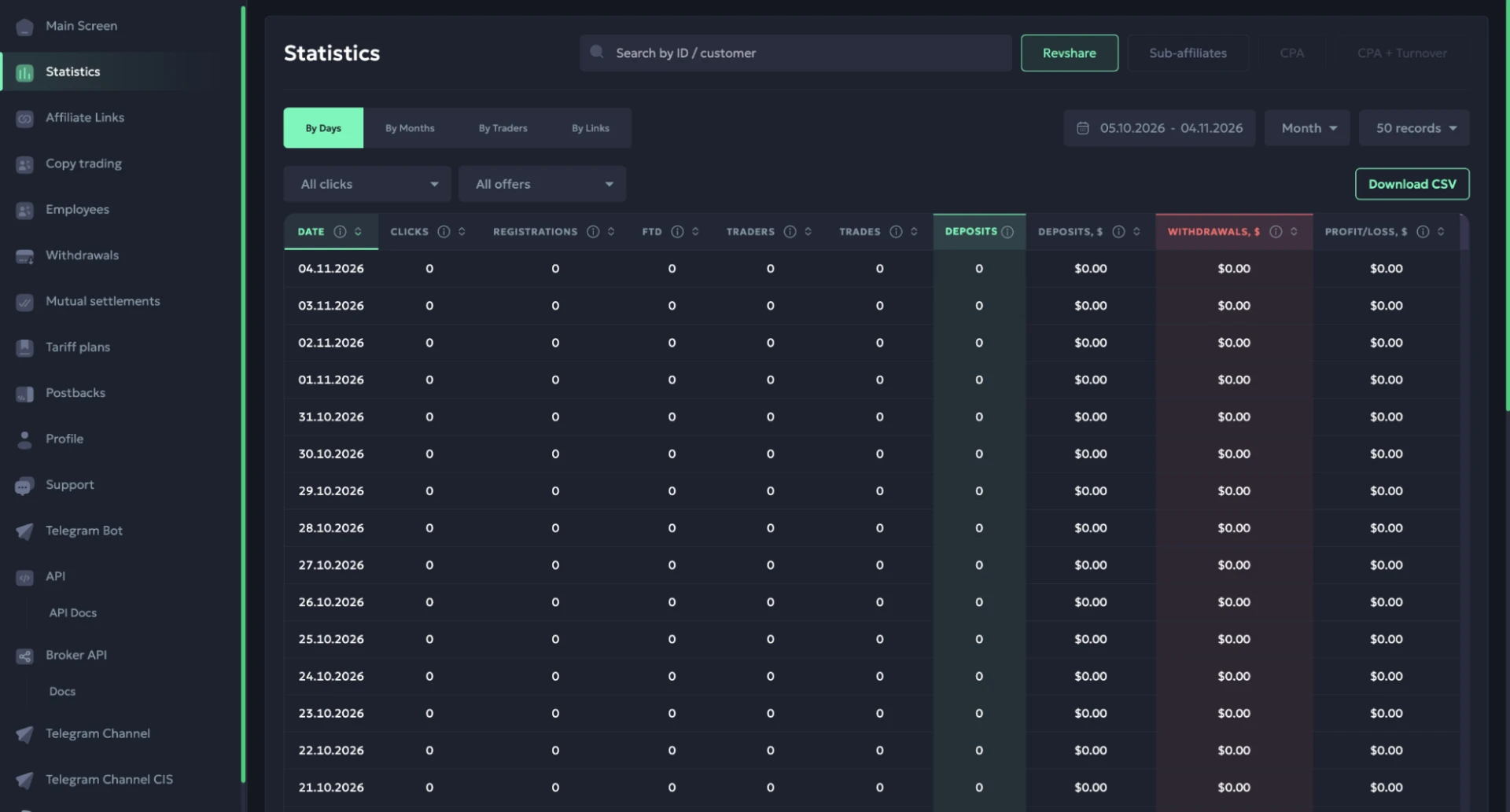
This data helps you assess traffic quality and see how actively your referred traders continue trading after their first deposit.
You can break down reports by day, month, trader, or affiliate link. Date and offer filters are also available, along with the option to export statistics as a CSV file.
Affiliate Links
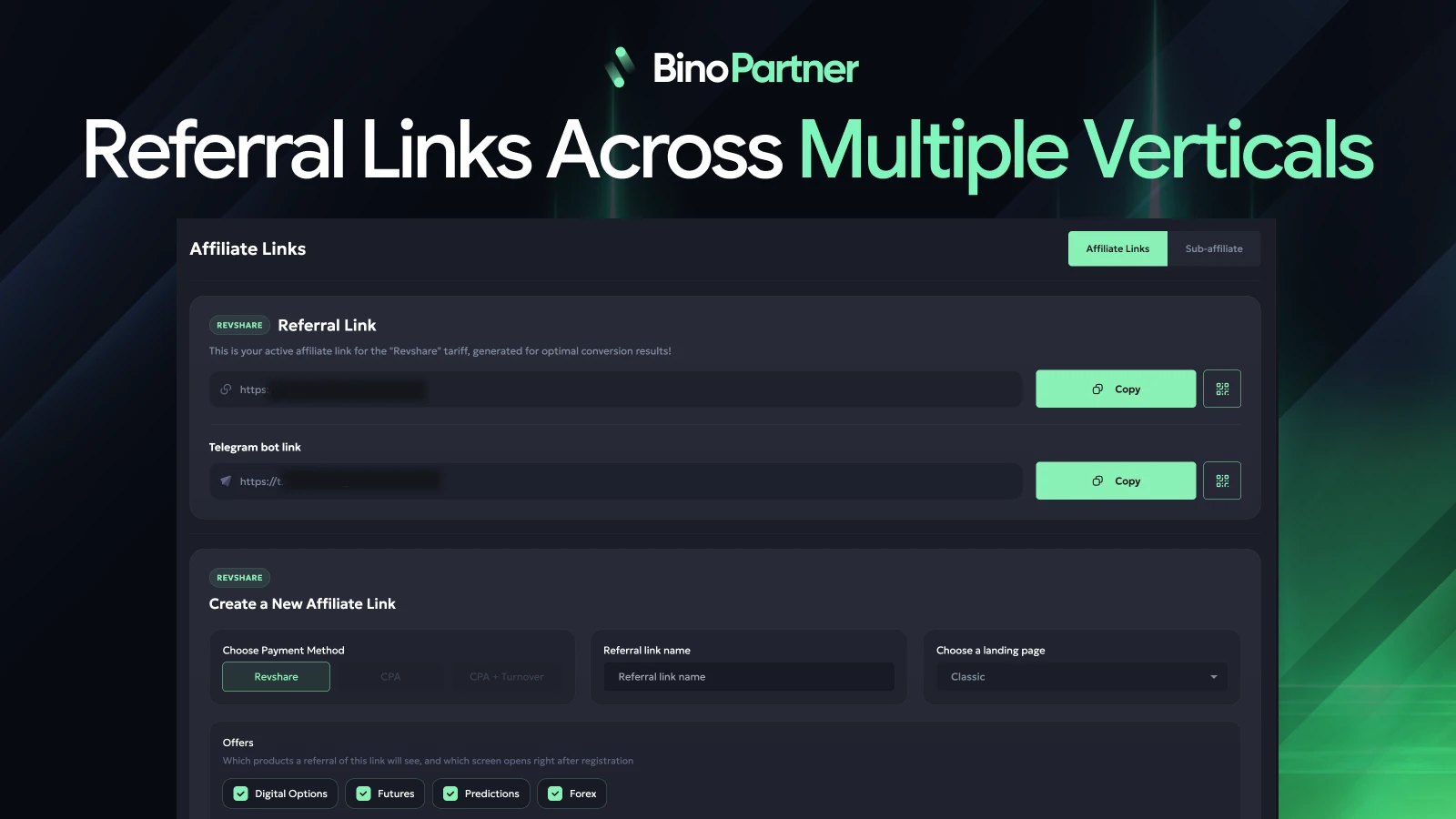
You can create links for driving traffic in this section. During setup, you’ll need to select a pricing model, landing page, and the offers you want to promote. You can generate a separate link for each offer or combine multiple trading markets into a single link.
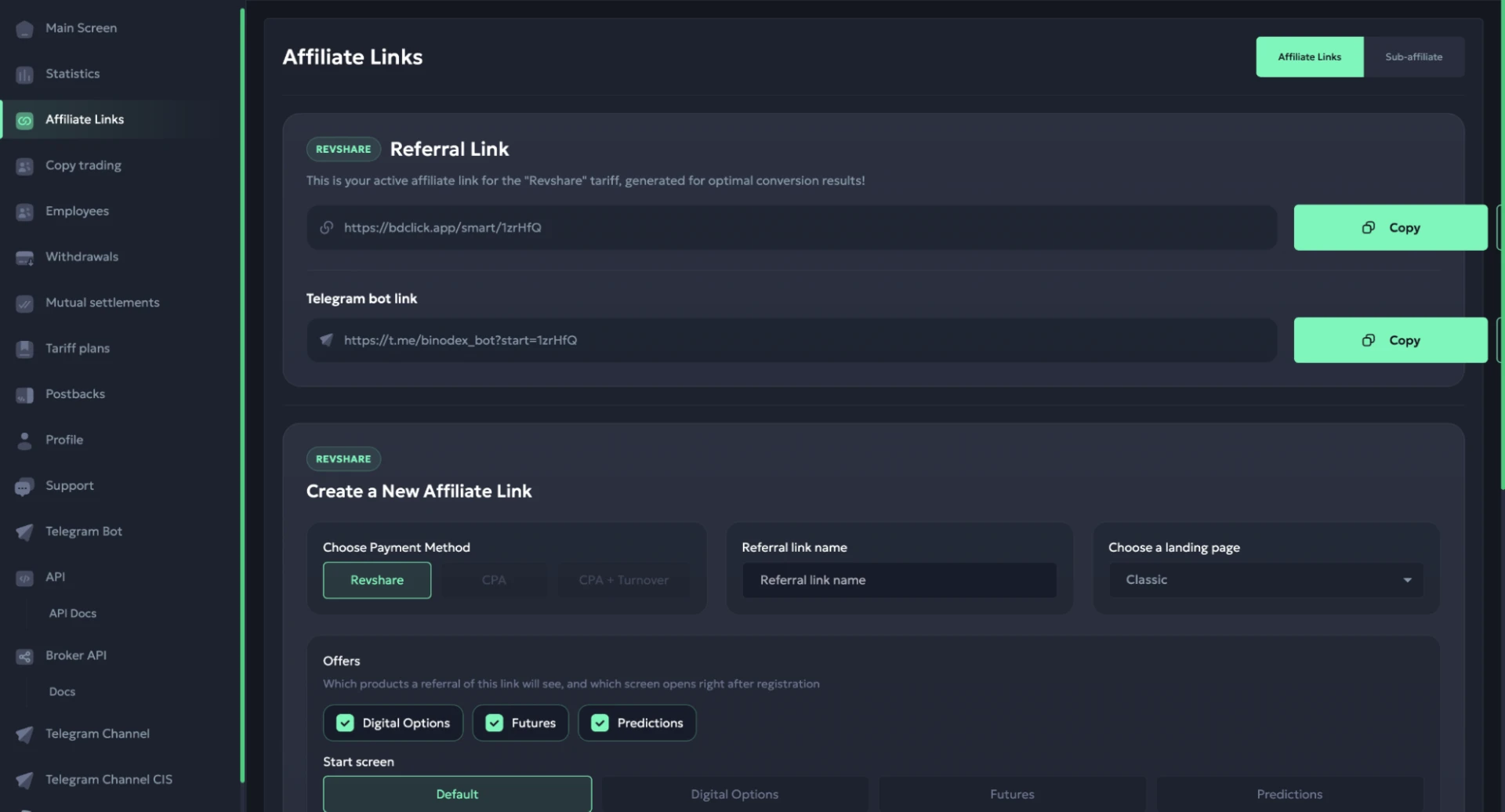
You can also choose which section of BinoDex traders will see after registration. Before generating a link, you can preview the landing page.
Once created, links can be copied or generated as QR codes. There’s also a Telegram bot link for affiliates driving traffic through Telegram.
Copy Trading
Here, you can set up a trader profile whose trades will be automatically copied by referred users.
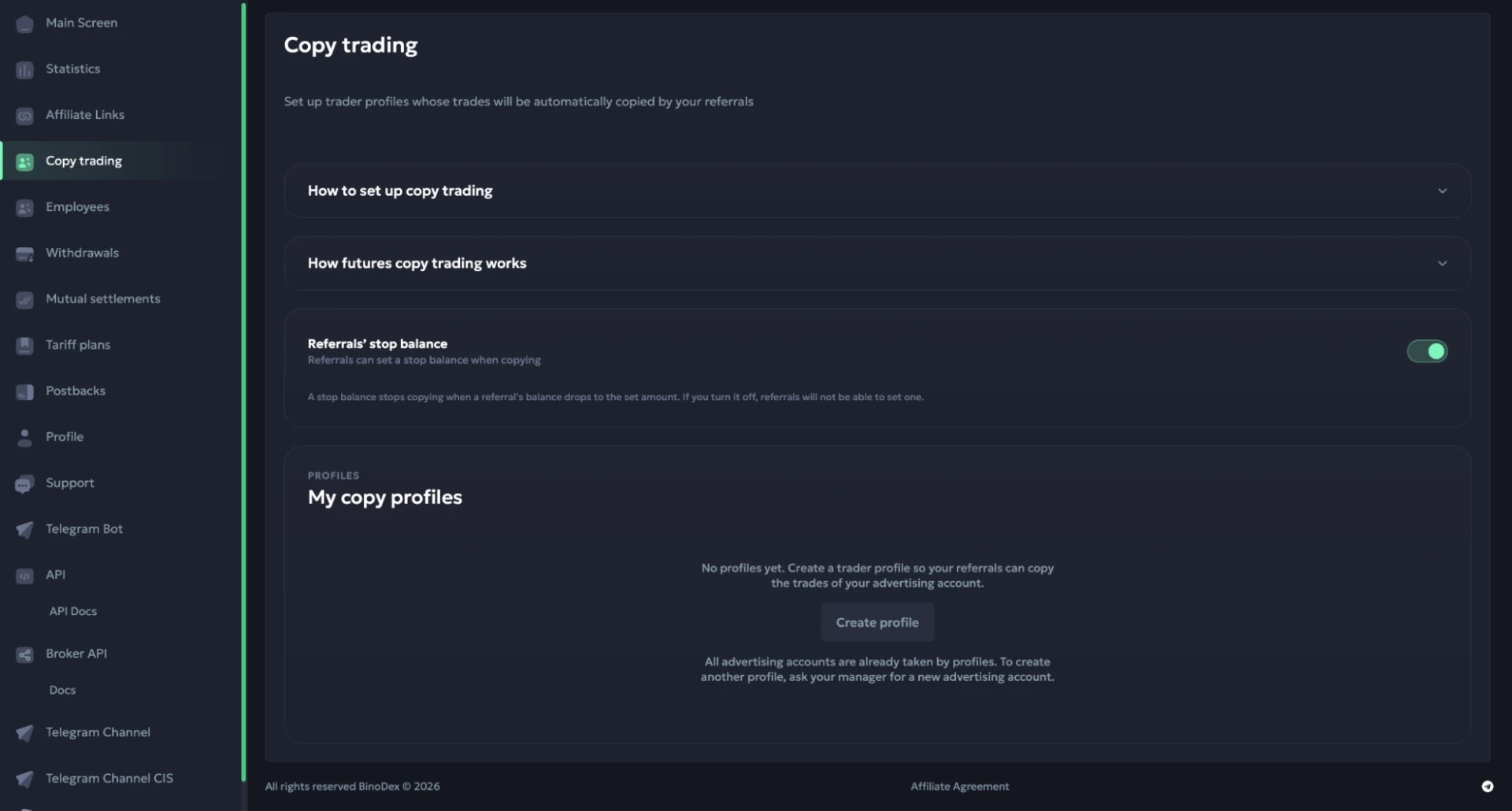
Copy trading gives affiliates more ways to attract users, especially beginners with no experience trading on their own. You can incorporate it into trading funnels and test it as an additional angle to improve conversions.
During setup, you select a trading account, set a nickname, and specify the minimum balance required to subscribe. You can link the profile to specific affiliate links, and there’s also a stop-balance setting to limit potential losses.
Team Members
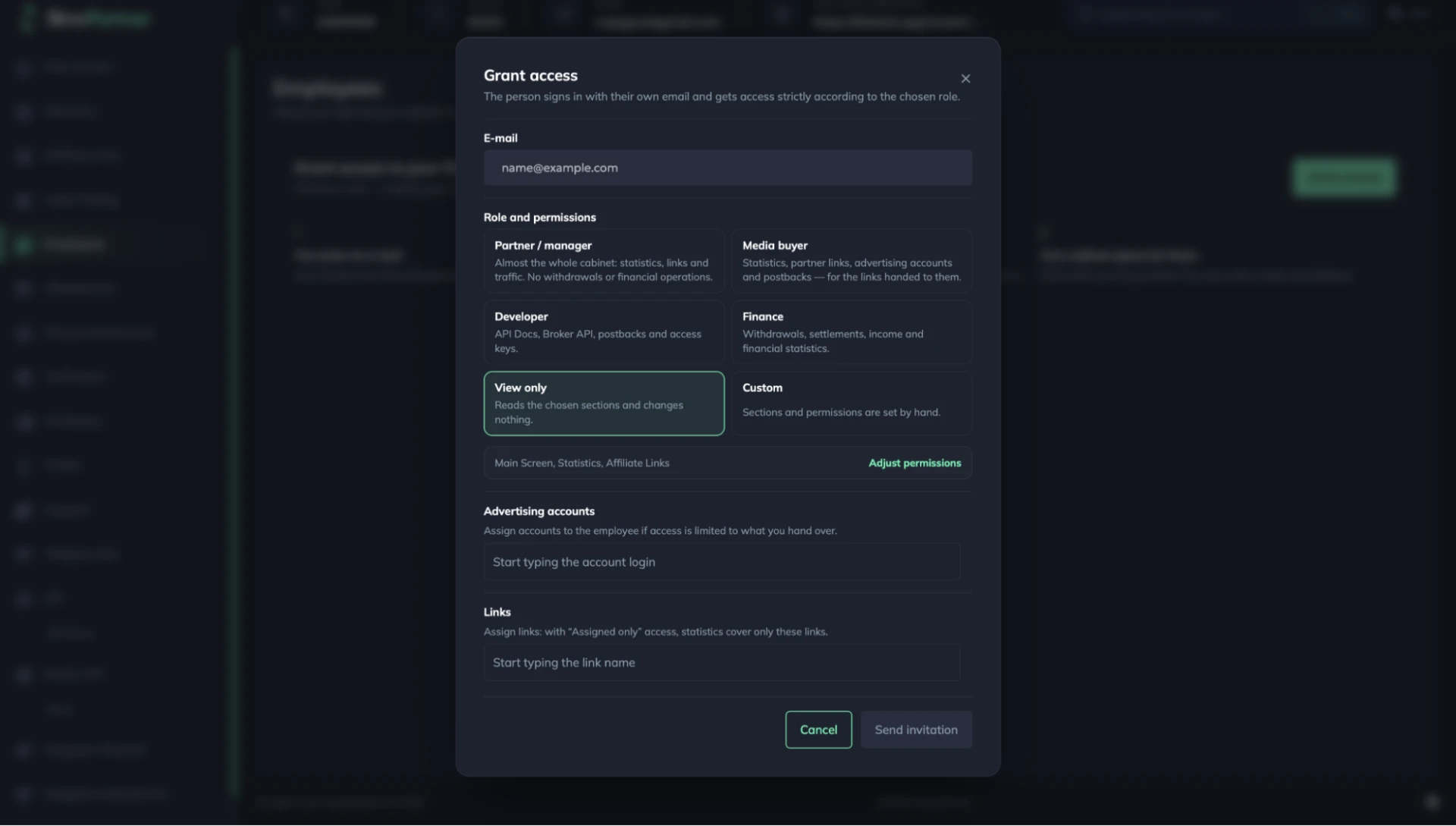
Here, you can manage affiliate dashboard access for each team member. This feature is fairly uncommon among affiliate programs and lets you assign permissions based on each employee’s responsibilities.
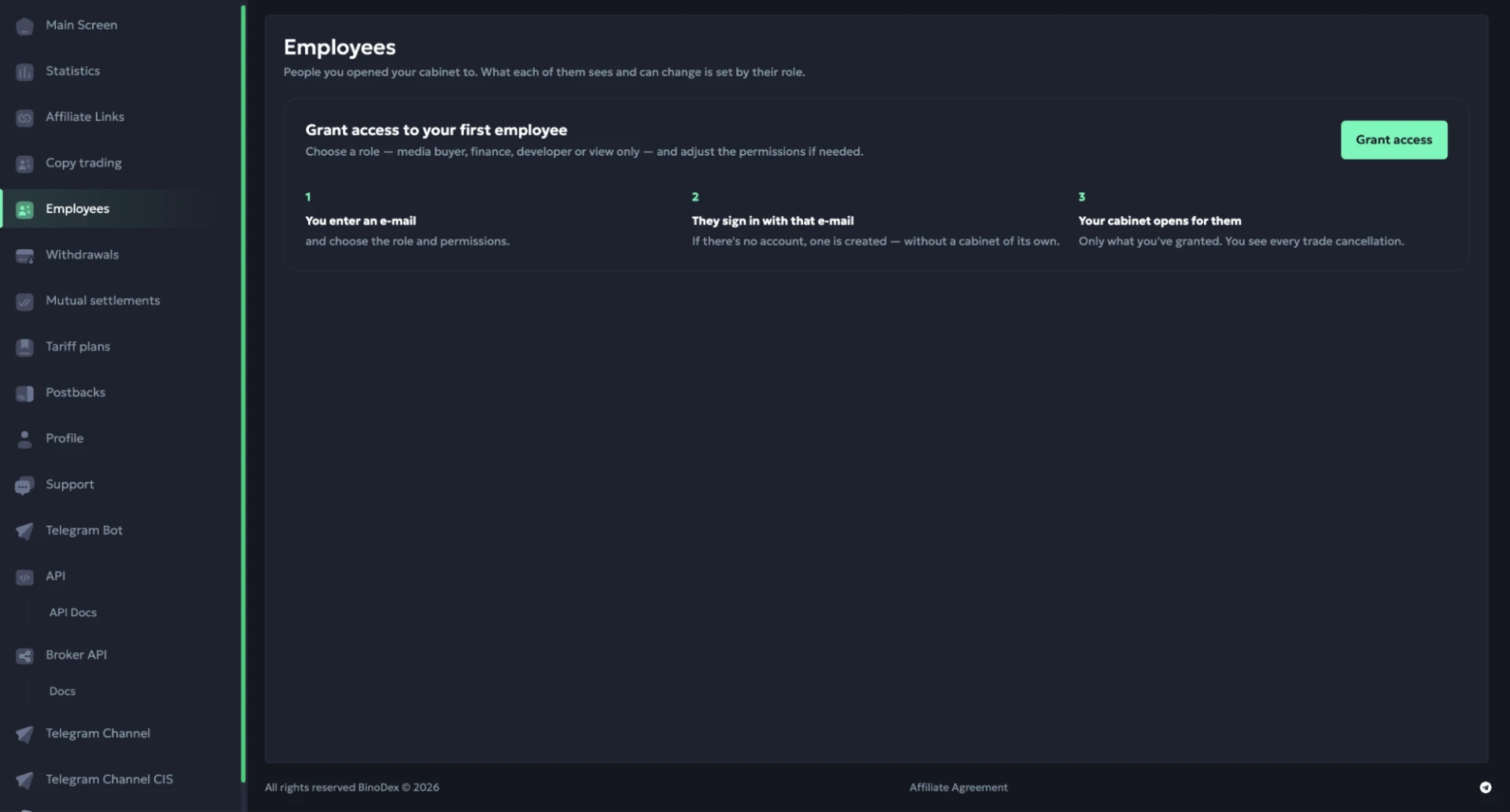
When adding a team member, you can assign them a media buyer, finance, or developer role. You can also configure permissions manually by selecting which sections they can access. For media buyers, statistics can be restricted to specific affiliate links.
Withdrawals
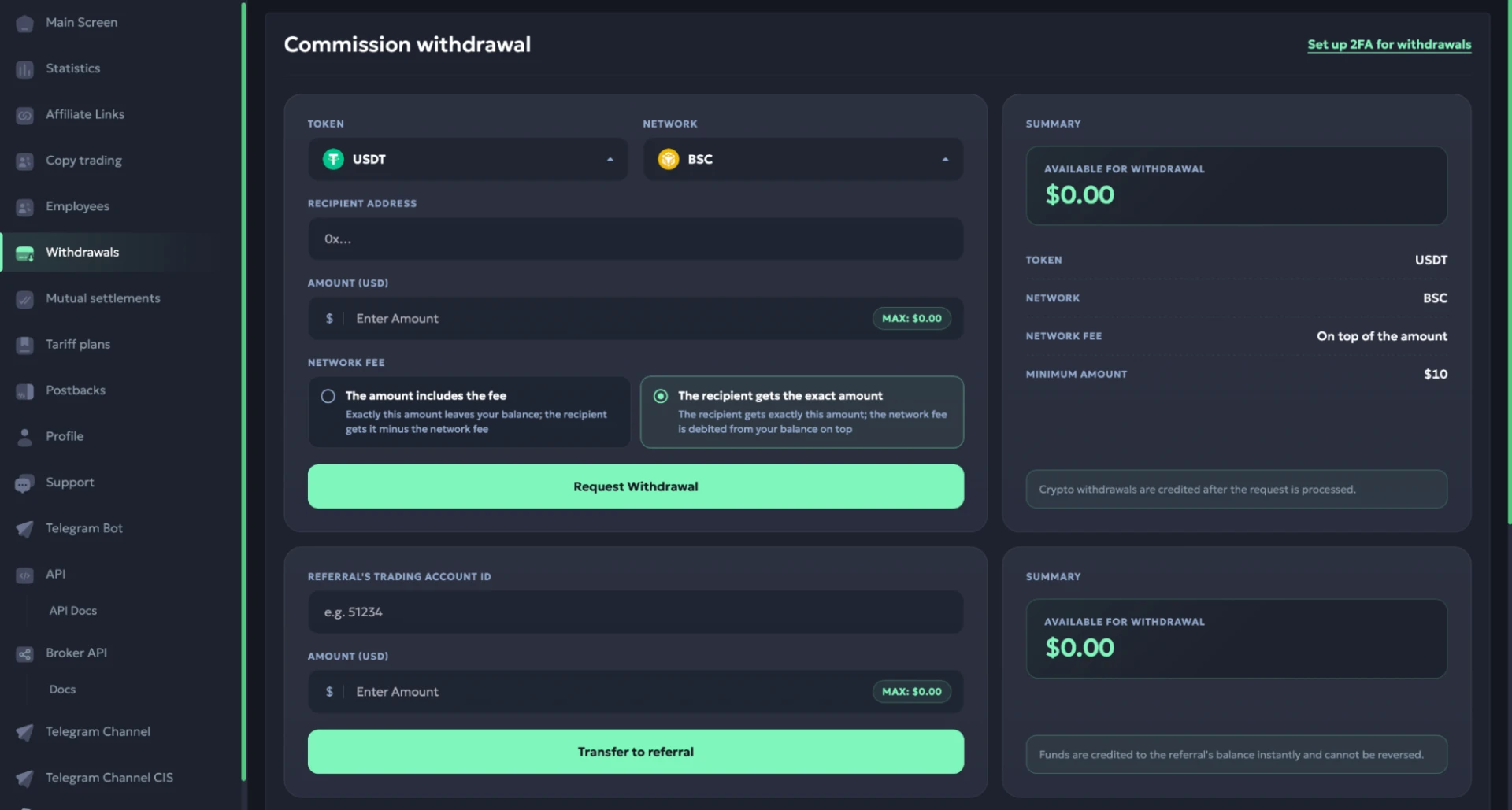
Here, you can request payouts and view your withdrawal history. Automatic withdrawals are also available and can be triggered once your balance reaches a specified amount.
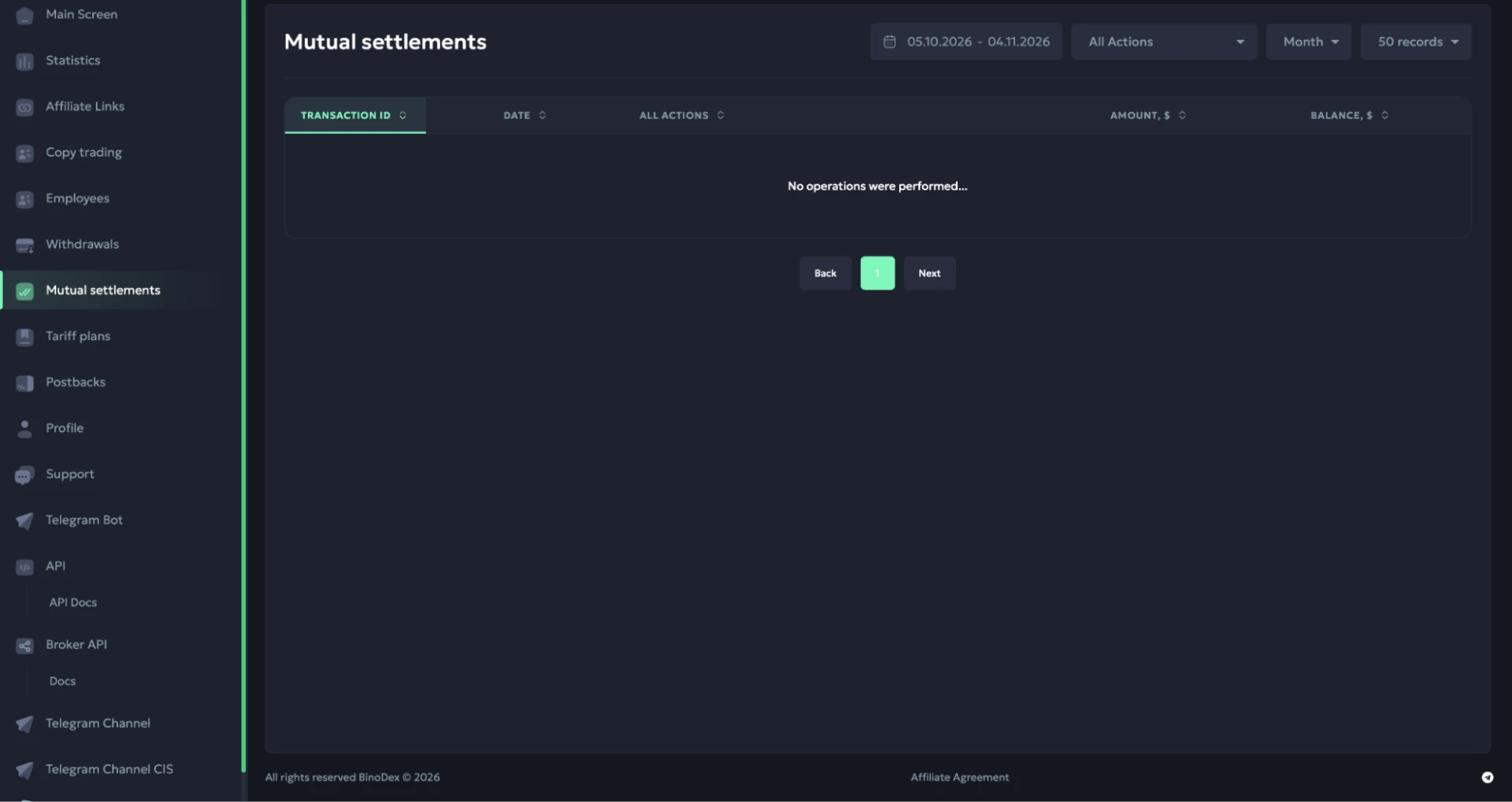
Transactions
This section shows your balance history, including all credits and deductions. Each transaction includes the date, amount, and remaining balance. You can view the history for any selected period.
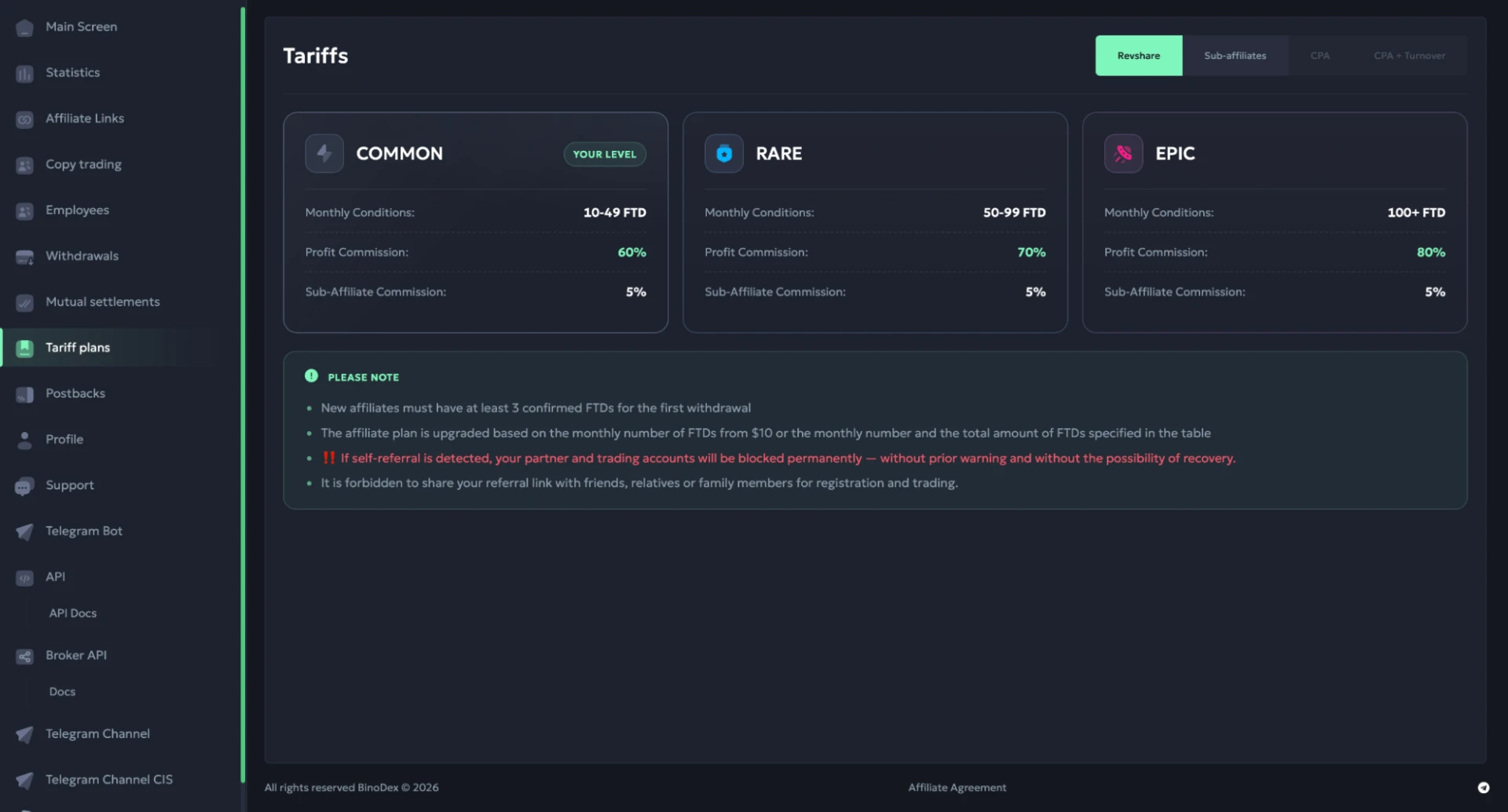
Commission Plans
Here, you can check the current RevShare rates and the requirements for moving to a higher commission tier. Depending on the number of FTDs you generate each month, BinoPartner pays 60%, 70%, or 80% of GGR.
Postbacks
This page lets you configure conversion tracking with external trackers. For each postback, you select an event, choose an affiliate link, and enter the URL where the data will be sent.
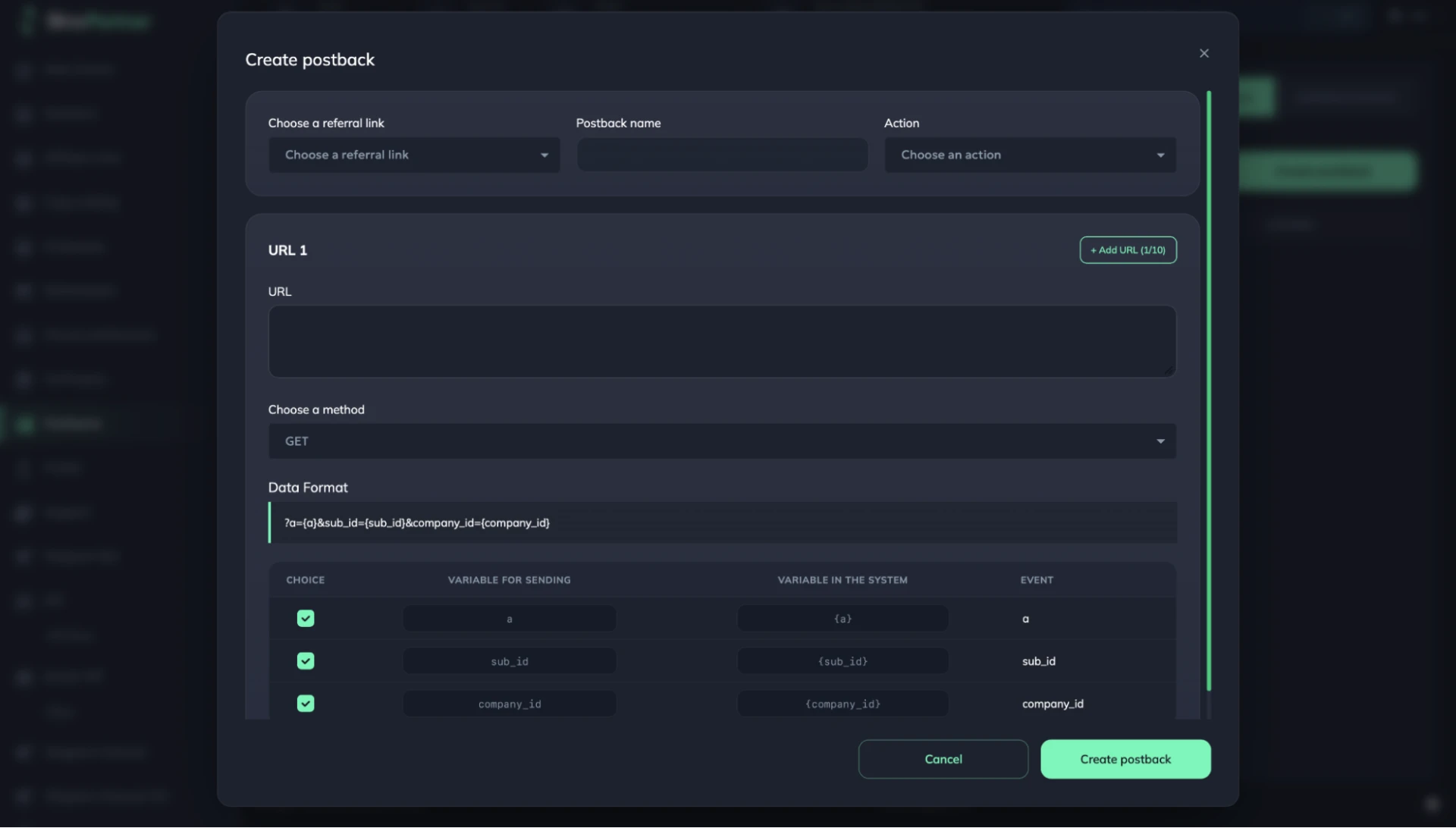
You can use either GET or POST and set up custom parameters.
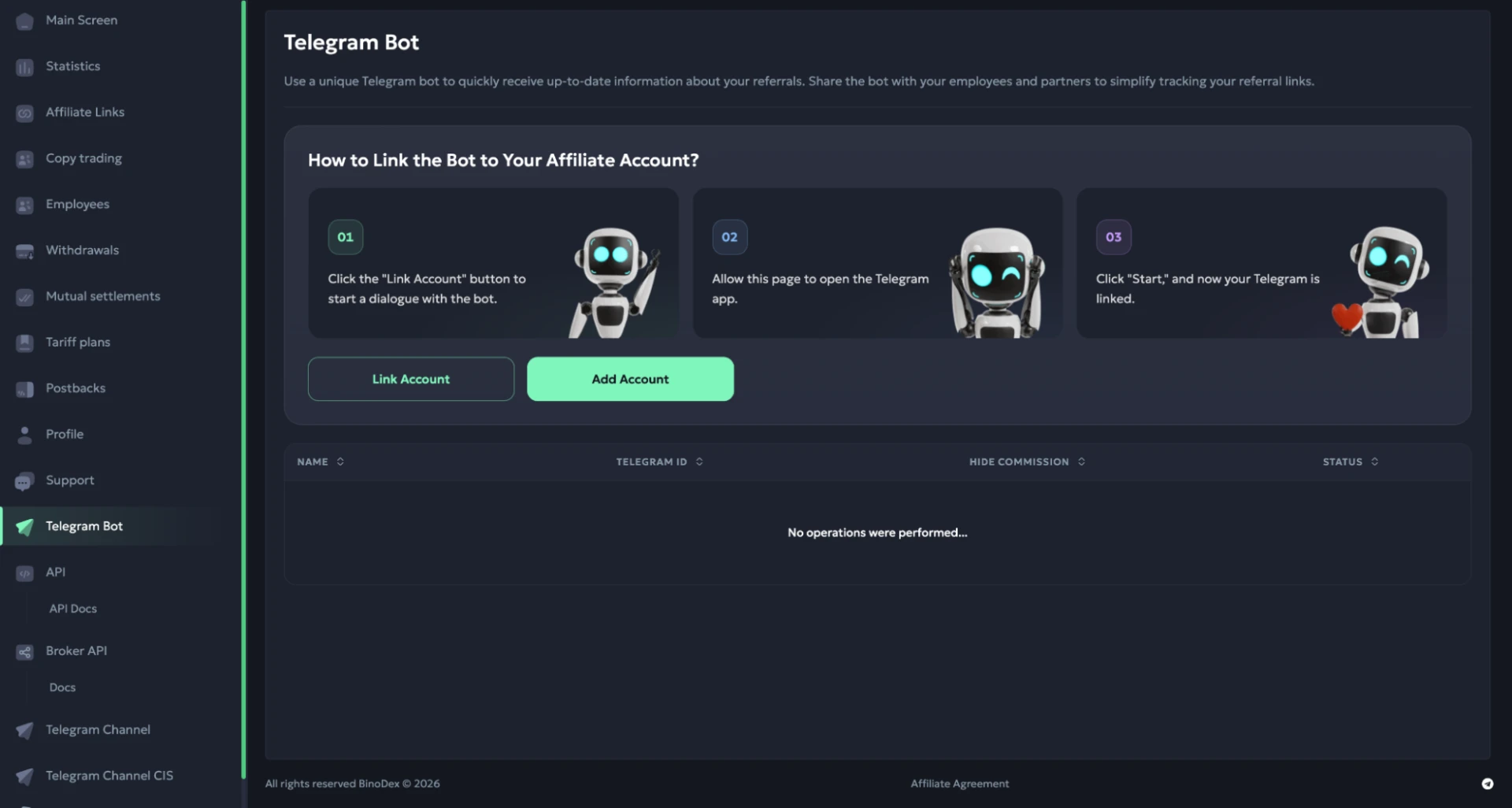
Telegram Bot
Here, you can connect your Telegram account to receive traffic updates directly in the messenger. The bot lets you track referred traders and monitor statistics for your affiliate links. You can also give team members access to it.
API
This section contains the API access settings. You can generate new API keys, regenerate or delete existing ones, and use them to integrate BinoPartner with your own tools.
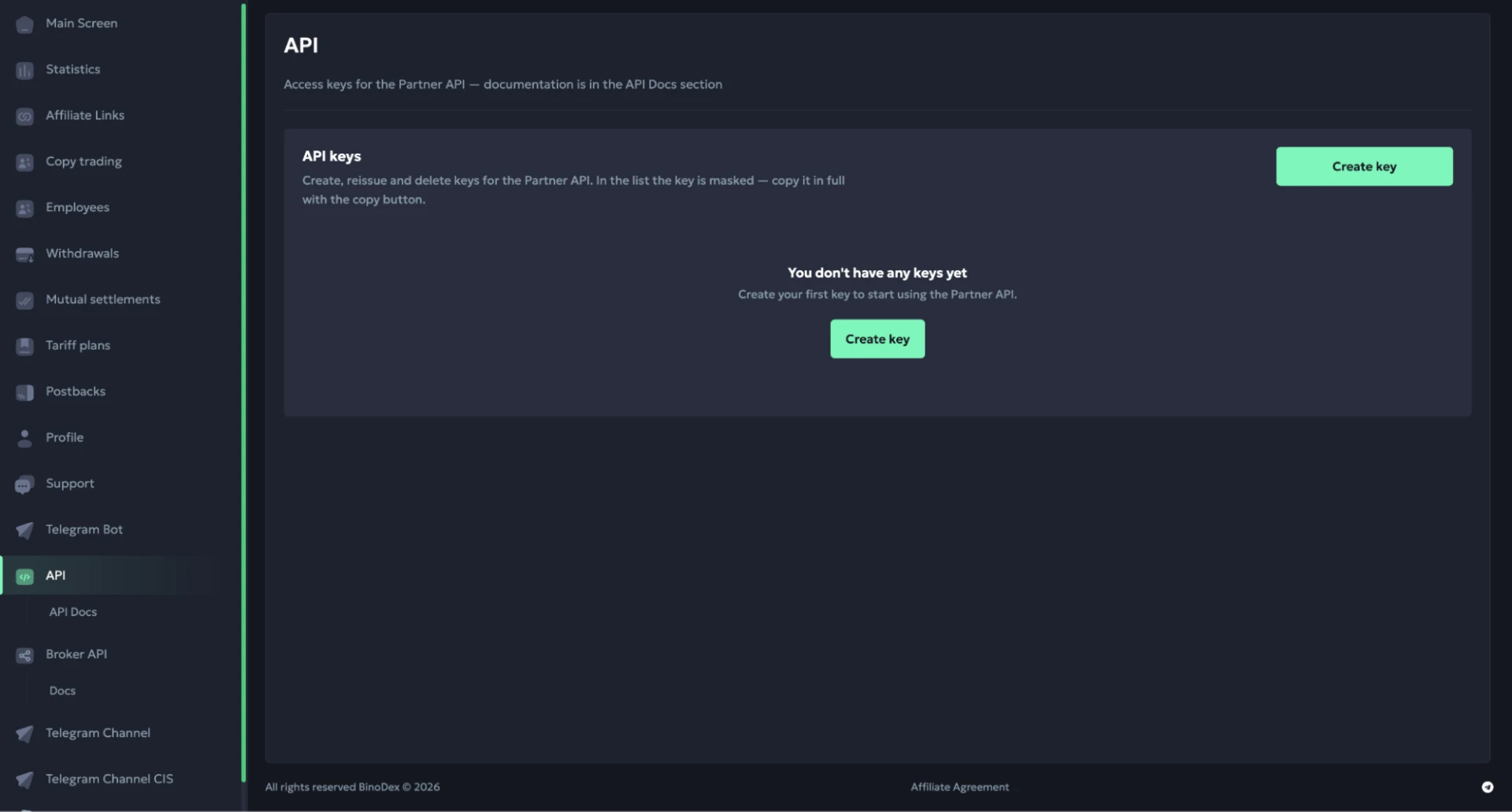
Detailed documentation is available in the API Docs.
Broker API (White Label)
Here, you can integrate a payment widget into your own website. It allows traders to deposit and withdraw funds without leaving your site.
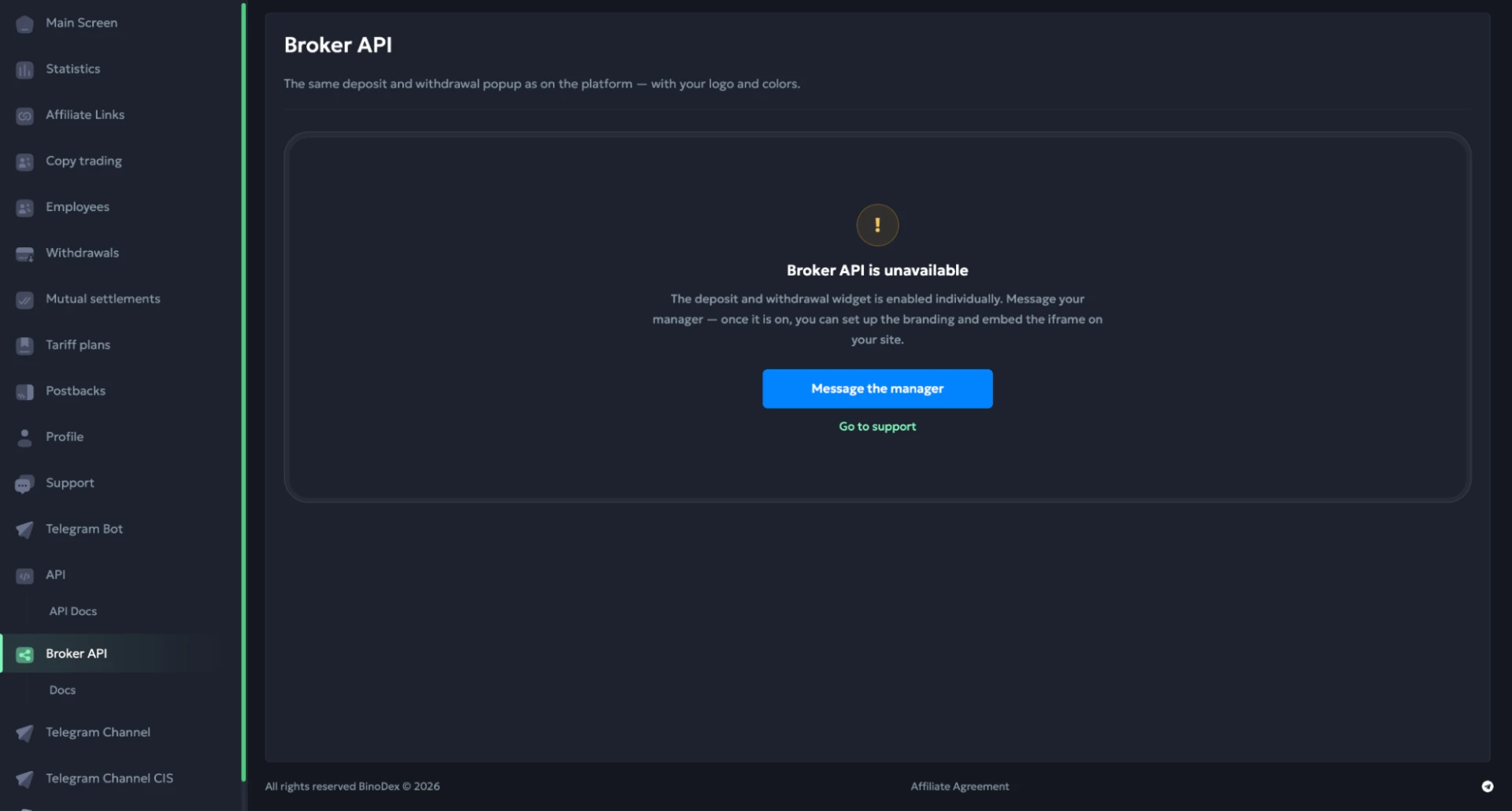
You can request access to this feature from your account manager.
BinoPartner Offers
BinoPartner offers four trading markets through its own trading platform. The first and main product is Digital Options, also known as binary options. Traders have access to over 200 assets, payouts of up to 96% on trades, and 24/7 OTC trading.
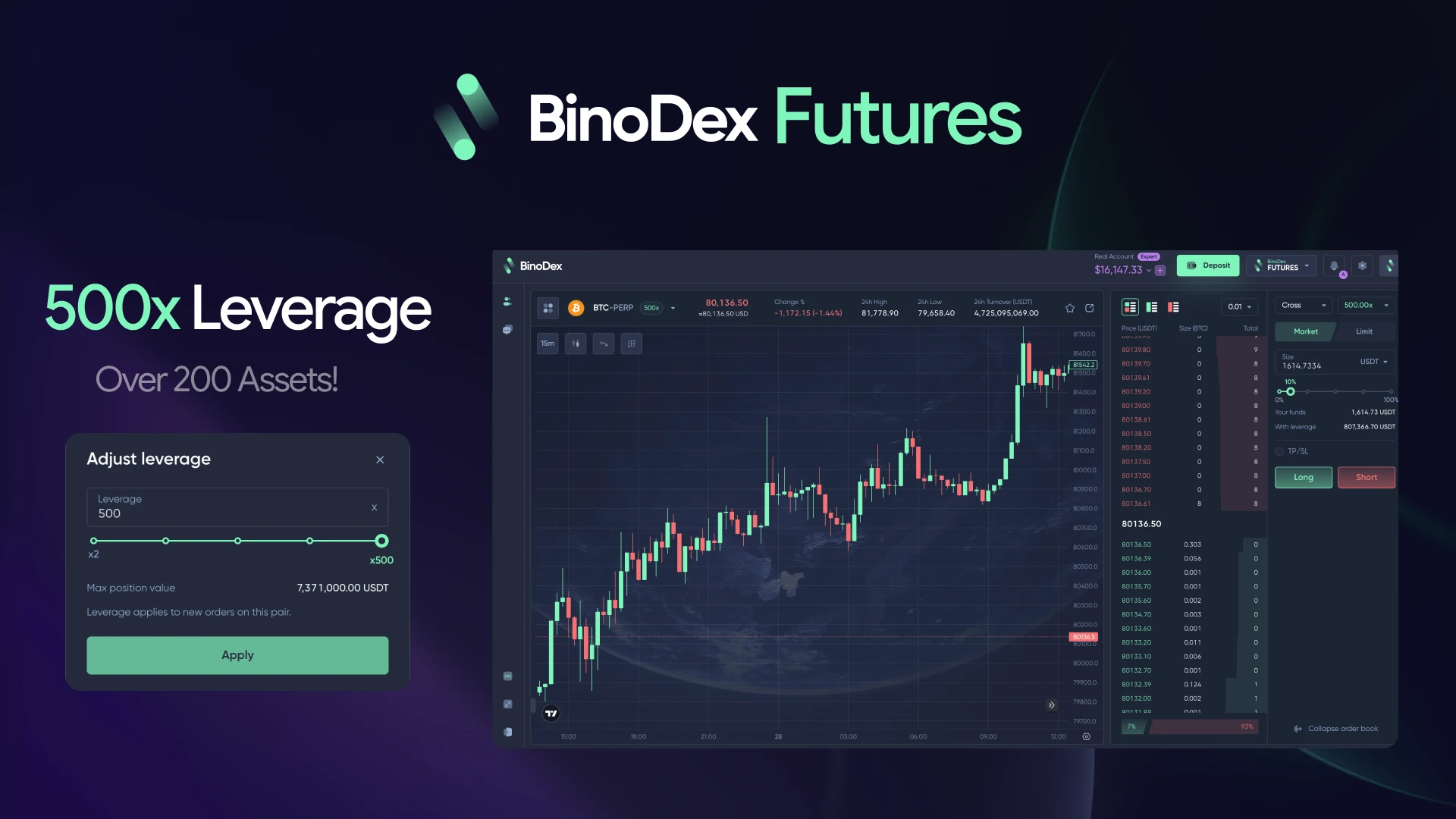
Forex offers leverage of up to 5000x, while crypto futures support up to 500x. Another recent addition is sports and event betting (Prediction Markets), where users can predict the outcomes of sports matches, political events, and cryptocurrency price movements. This direction also gives betting affiliates an opportunity to test familiar angles and creatives with a different product.
How to Withdraw Earnings from BinoPartner
You can withdraw your earnings from BinoPartner at any time, including weekends. There’s no hold period, and the minimum withdrawal is $10. Payments are available in USDT and USDC.
To request a payout, open the “Withdrawals” section and select your cryptocurrency and blockchain network. Then enter your wallet address and withdrawal amount. You can submit requests manually or set up automatic payouts once your balance reaches a specified amount.
BinoPartner doesn’t charge any withdrawal fees. You only pay the fee charged by your chosen blockchain network. This can either be deducted from your payout amount or charged separately to your balance.
Conclusion
BinoPartner continues to develop its in-house trading platform, giving affiliates more options for driving traffic in recent months. Prediction Markets look particularly interesting, as they open up opportunities to attract audiences from the betting vertical.
On top of that, the affiliate program accepts almost all popular traffic sources and is open to negotiating custom terms based on traffic volumes.