

Spy.House features, and traffic monetization schemes. It's gonna be hot!
Most spy tools differ not in how the search itself works, but in the depth of their databases, the number of traffic sources they cover, and the additional tools they provide. So when choosing a spy tool, affiliates should pay closer attention to what it actually tracks and how much information they can get about the funnels they find.
Spy.House covers Facebook*, TikTok, Native, Push, and Inpage. Its database contains more than 12 million creatives from 185+ GEOs, with new ads added every day.
The platform also has a separate section dedicated to Adult creatives, a feature that’s still relatively uncommon among spy tools.
Search results can be narrowed down using 16+ filters. The platform also lets you download landing pages, uniquify creatives, and generate White Pages.
In this article, we’ll put Spy.House to the test and see how convenient it is for finding and analyzing funnels.
Spy.House Advantages
Spy.House has several features worth looking at in more detail.
Large database with daily updates. The database currently contains more than 12 million creatives from 185+ GEOs. You can search across Facebook*, TikTok, Native, Push, and InPage, while 16+ filters help narrow down the results.
Quick search by vertical. Gambling, nutra, dating, crypto, finance, e-commerce, and other verticals can be filtered using ready-made buttons above the search results. This saves you from having to search for relevant creatives by keyword every time. Another feature rarely found in spy tools is the option to filter Adult creatives directly in the results.
Downloadable landing pages. Spy.House lets you not only view the landing page used in a funnel but also download it.
One-click creative uniquification. The platform has its own built-in tool for images and videos. You can process a creative and immediately download the finished version.
White Page generator. White Pages can be generated in one click for the required vertical and language.
Low entry price. The cheapest plan costs $29, and new users get a 7-day trial before purchasing. That’s enough time to explore the search results and test most of the platform’s features.
How to Get Started with Spy.House
You can try Spy.House free for 7 days before purchasing a subscription. The trial is available to all new users after registration.
To create an account:
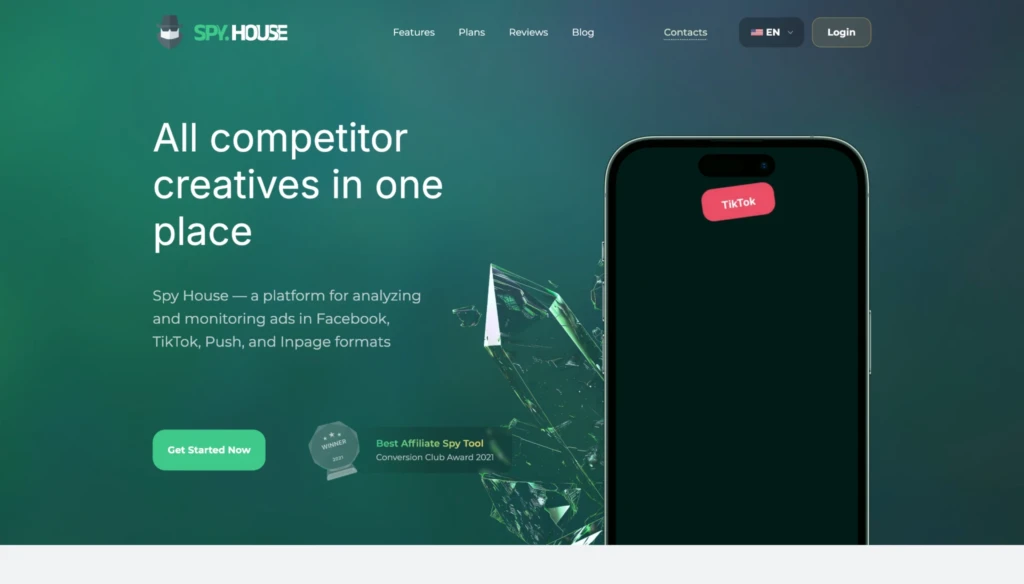
- Click “Get Started Now” on the homepage.
- Enter your username, email, password, and Telegram in the registration form.
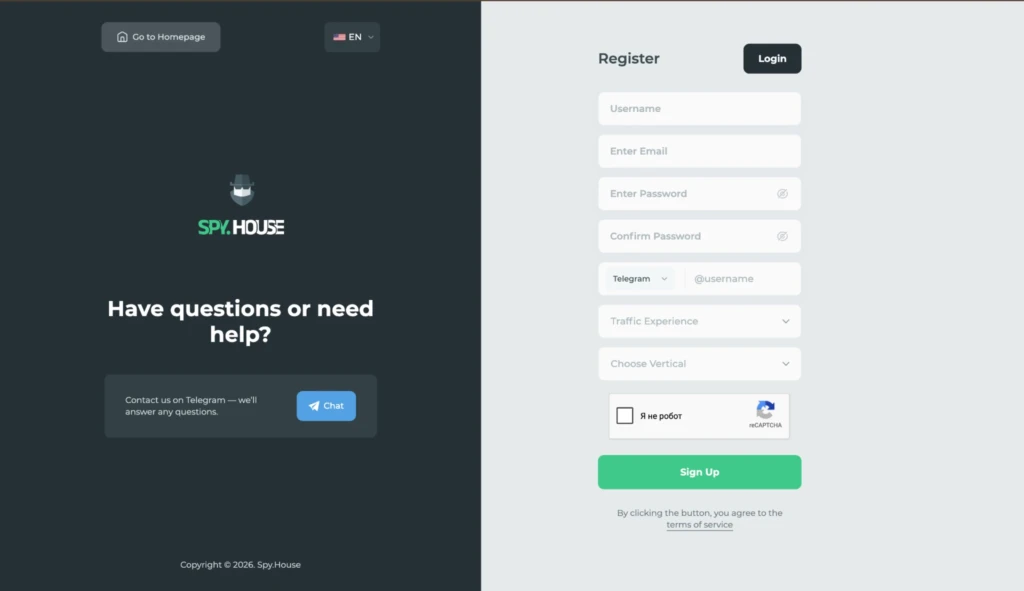
- Choose your traffic experience level and vertical, complete the CAPTCHA, and click “Sign Up.”
The trial gives you access to nearly all of the spy tool’s features. However, the number of searches is limited, and some filters are unavailable.
Spy.House Features
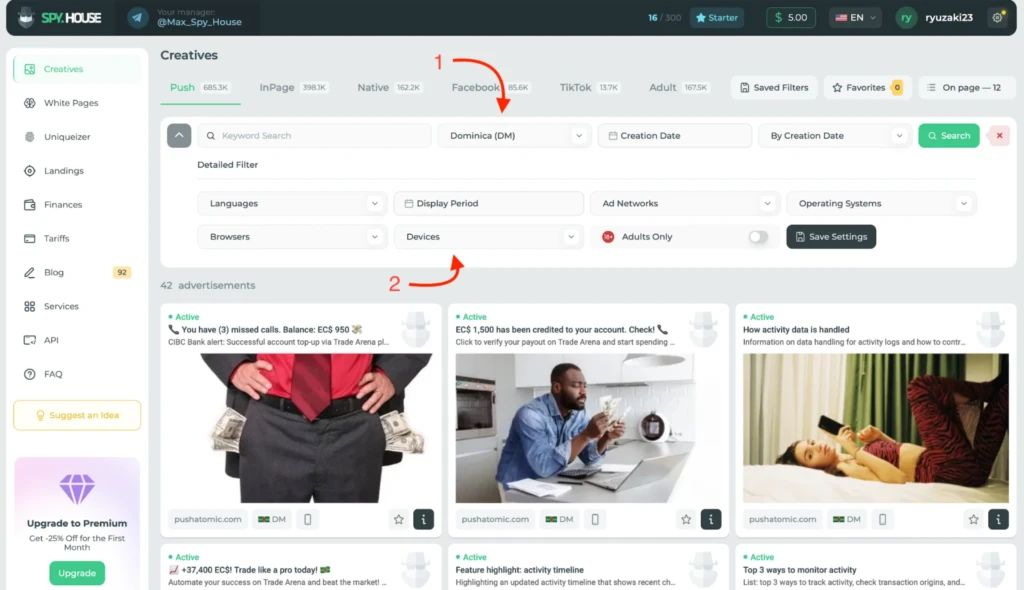
Search options in Spy.House vary depending on the traffic source. Push, InPage, and Native have the most in common, so we’ll use Push to look at the available filters.
The standard options include keywords, GEO, and ad creation date. To narrow the results further, you can specify the language, ad network, device, OS, browser, or last seen date.
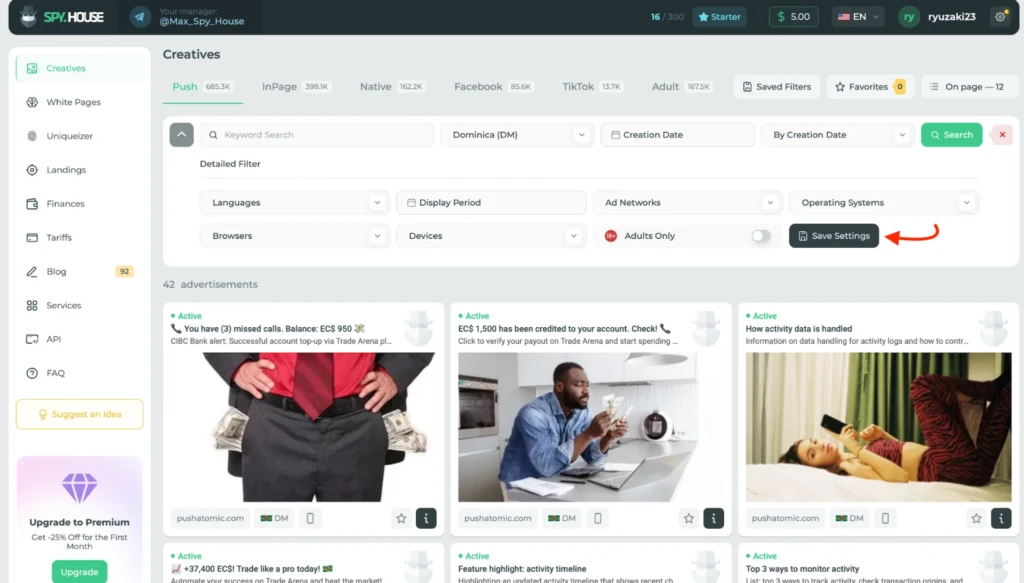
Your selected parameters can be saved as a separate filter. For example, you can configure a search for a particular GEO once and return to it later without setting everything up from scratch.
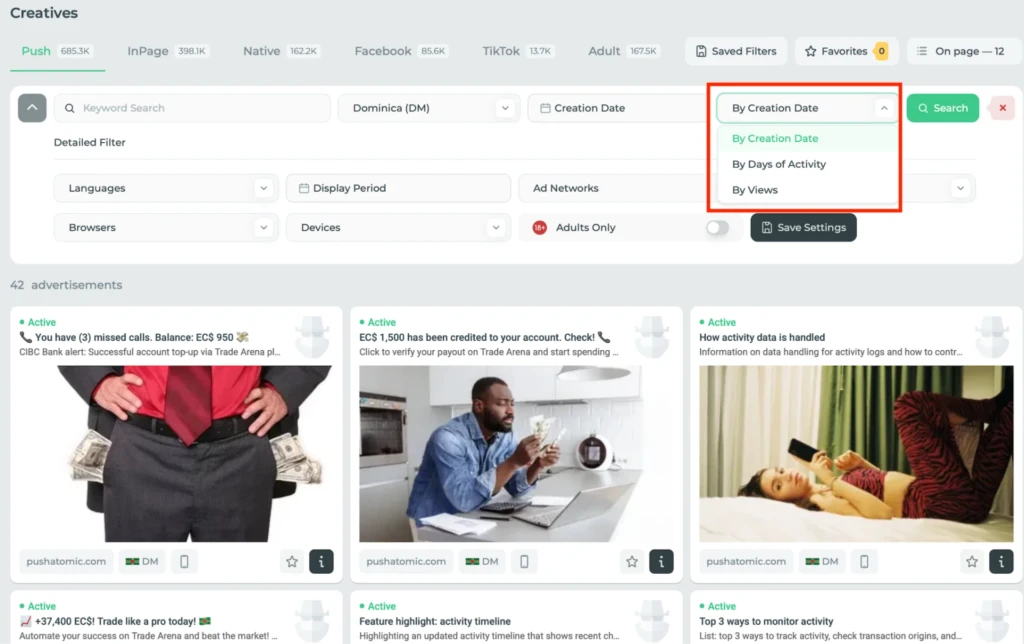
Sorting gives you another way to work with the results. The most interesting option here is days active. It quickly surfaces ads that have been running for longer, so you don’t have to sift through new creatives mixed in with ones that have been live for a while.
Facebook* and TikTok offer a more convenient way to search within a specific vertical. Above the creatives, you’ll find buttons for Gambling, Nutra, E-commerce, Dating, Crypto, and Finance.
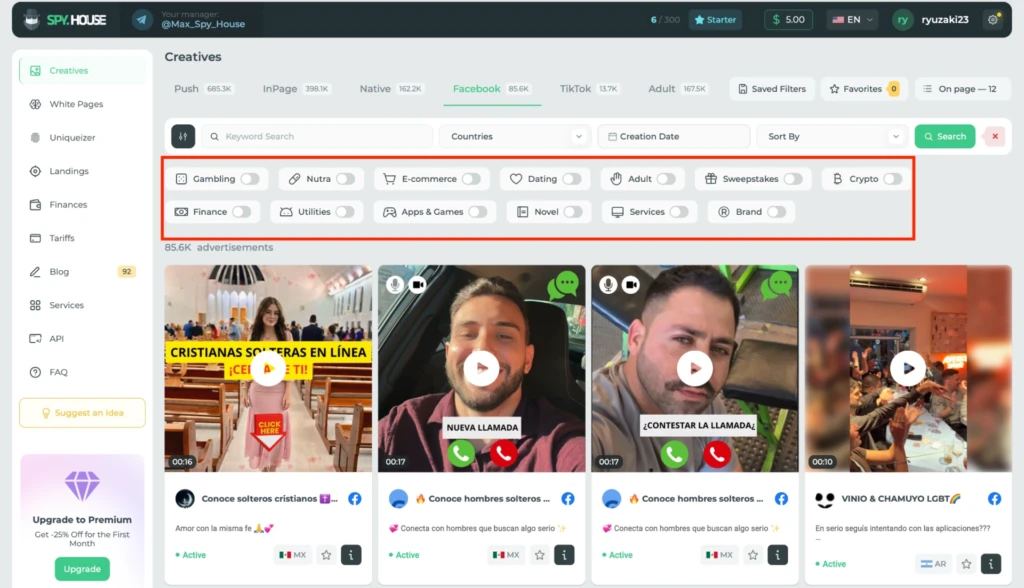
So if you’re looking for nutra creatives, for example, you can filter by vertical right away instead of trying different keyword combinations. The same method works for apps and games, sweepstakes, services, utilities, and brands.
We tested this search with nutra. After enabling the corresponding filter, most of the creatives in the results belonged to that vertical.
You can open detailed information for any ad you find. There’s an “i” icon next to each creative; clicking it opens a details panel on the right.
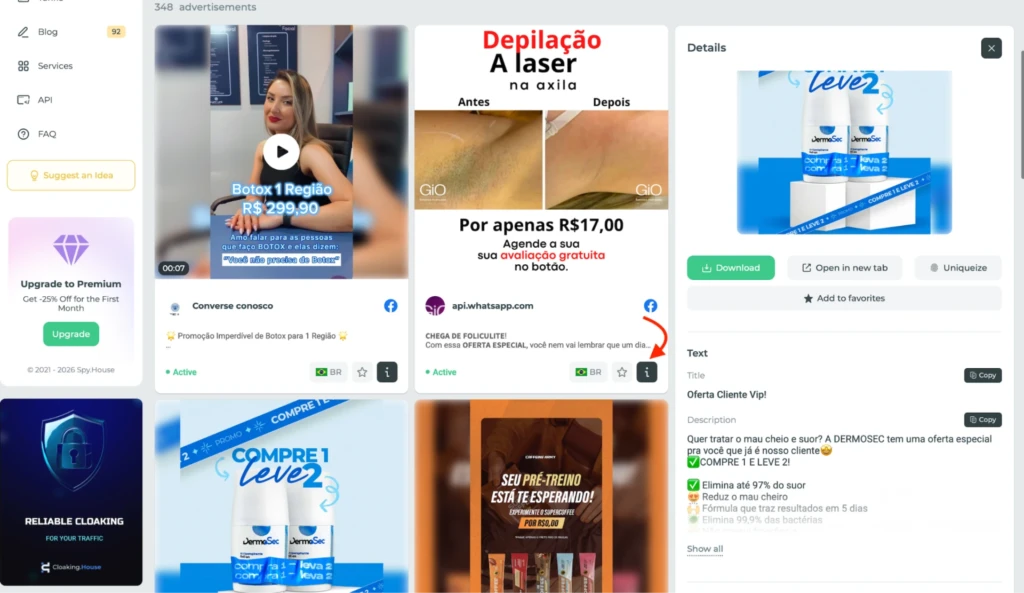
The panel contains the creative itself, the ad copy, and a link to the landing page. You can download the image or video, add it to favorites, or send it straight to the uniquifier. Separate buttons let you copy the headline and description.
At the bottom of the card, you’ll find the GEO, language, status, and first and last seen dates. The latter are useful for estimating how long a creative has been running.
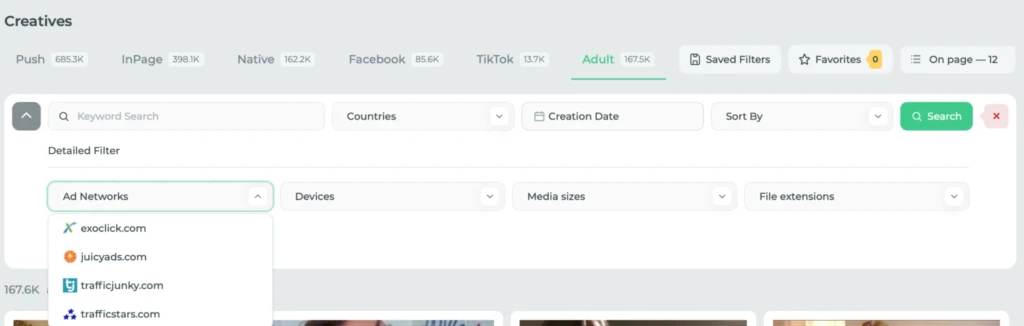
Adult networks have a separate search section. Spy.House tracks ExoClick, JuicyAds, TrafficJunky, and TrafficStars. Along with keywords and GEO, you can filter by a specific network, device, banner size, and file extension.
White Page Generator
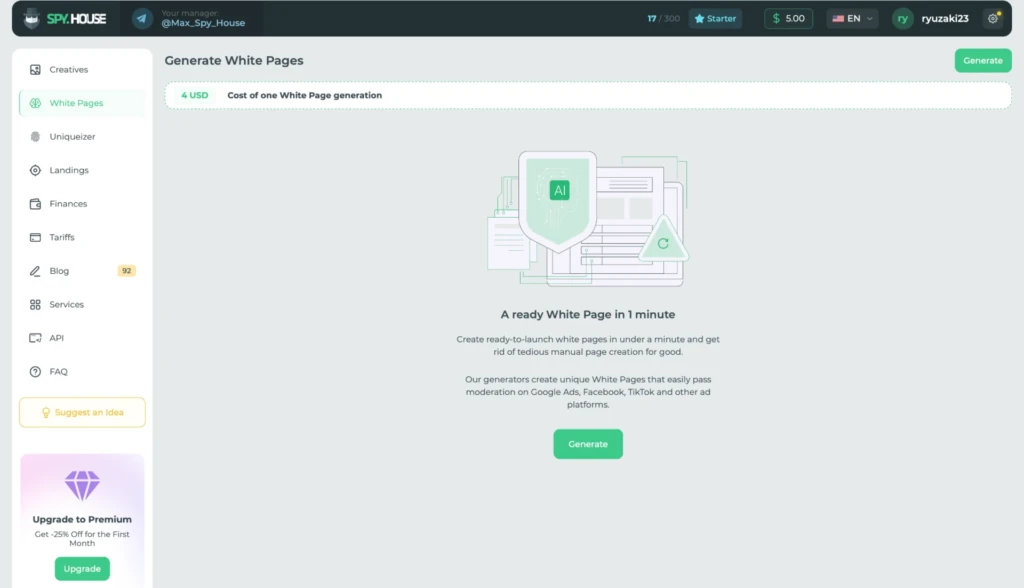
White Pages can be generated directly from the dashboard. Each one costs $4.
When creating a page, you need to give it a name and choose the vertical, topic, and language. Spy.House uses its built-in One Page AI model to generate it.
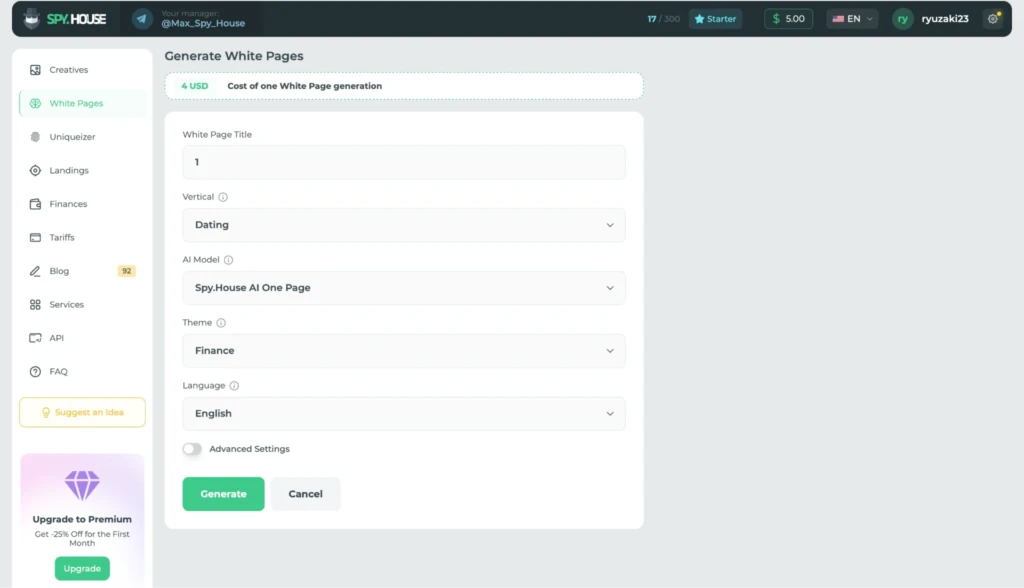
There are also advanced settings. These let you add the domain, company name, phone number, and email address to the White Page beforehand. A separate field below is provided for keywords.
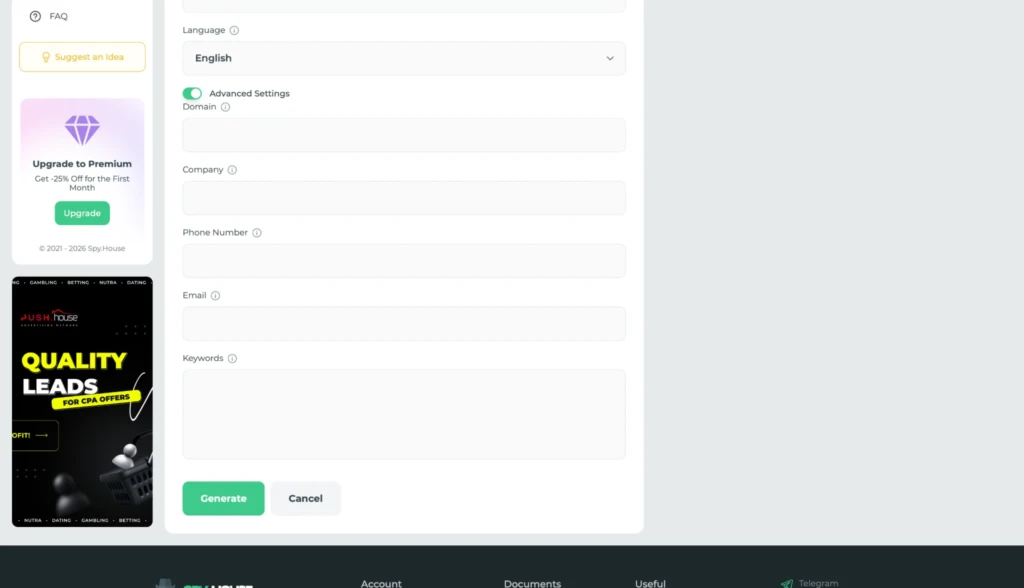
Next, click “Generate.” All generated White Pages are added to a single table showing the generation date, name, vertical, and topic. The download button is located on the right.
Creative Uniquifier
Spy.House has a built-in uniquifier for processing creatives you find through the platform as well as your own files. You can upload images in JPG, PNG, or WebP format, or MP4 videos up to 50 MB.
There are no additional settings to configure before processing. Just upload the file and click “Start Uniquization.” Once it’s processed, the resulting file is ready to download.
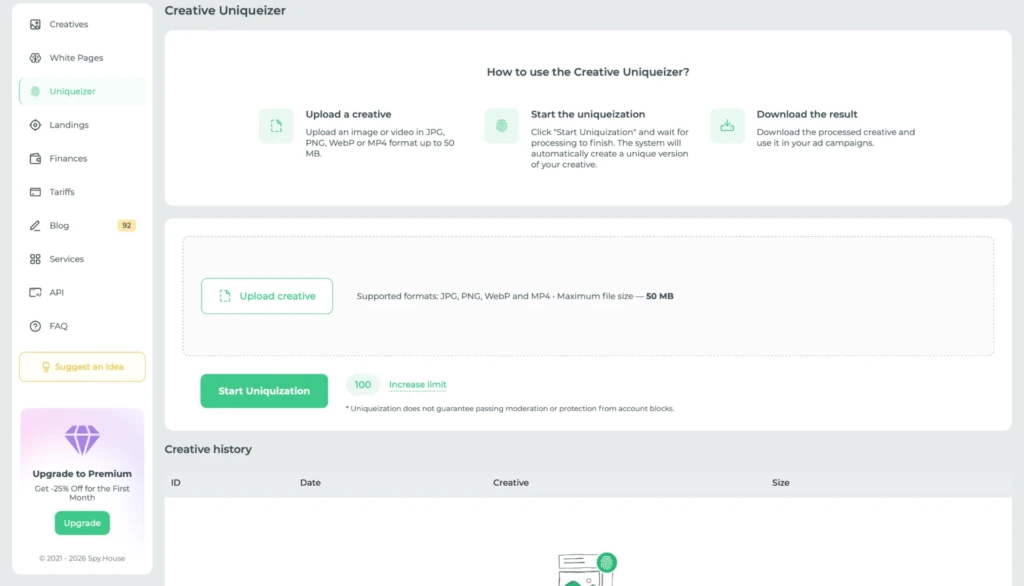
The number of remaining processing credits is shown next to the start button. If you run out, you can get more through the “Increase limit” section.
It’s also worth checking the note below the start button. Spy.House makes it clear that uniquification doesn’t guarantee that a creative will pass moderation or prevent an account ban.
Landing Page Downloads
This page lets you download any accessible landing page using its URL. Paste the link into the field and click “Download.” Once the download is complete, the landing page appears in the list below.
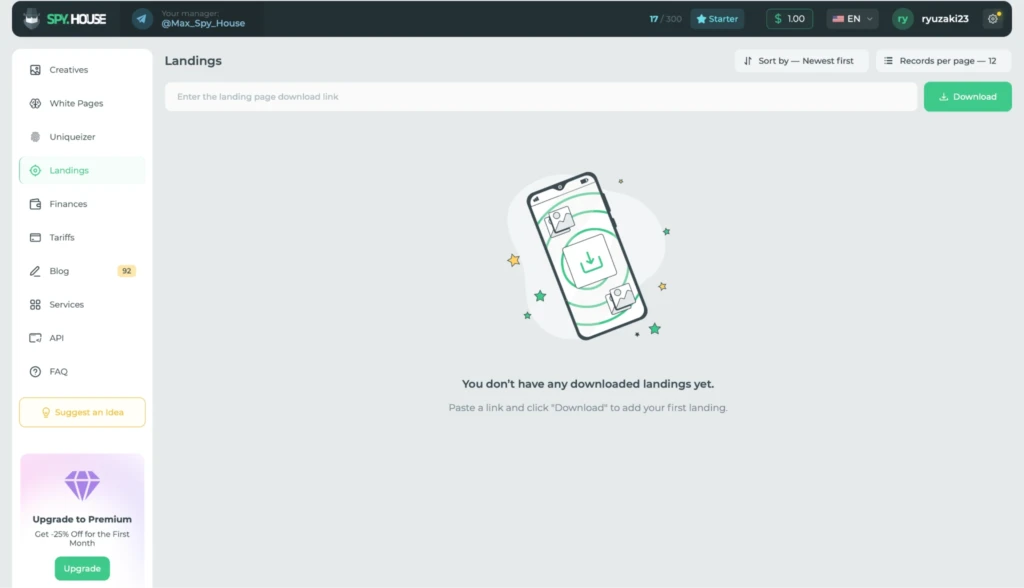
You can also sort your saved landing pages by date.
API Automation
The API gives you access to the Spy.House database through your own software. This can be useful, for example, if you want to automatically scrape creatives using specific filters and then process the collected data on your end.
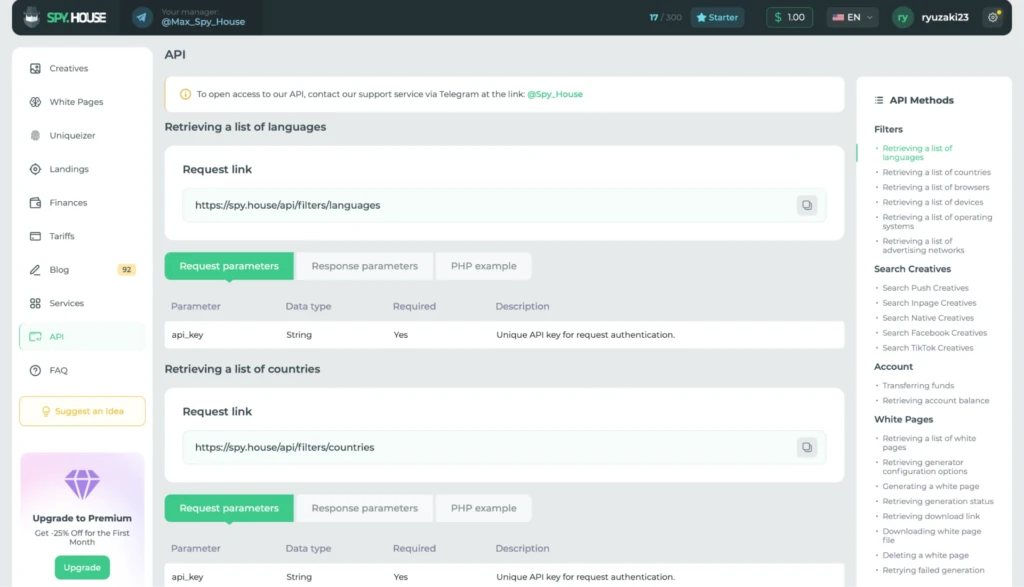
Detailed API documentation is available for setup. Each method includes request and response parameters along with a PHP example.
API access is provided through Spy.House support on Telegram.
Service Directory
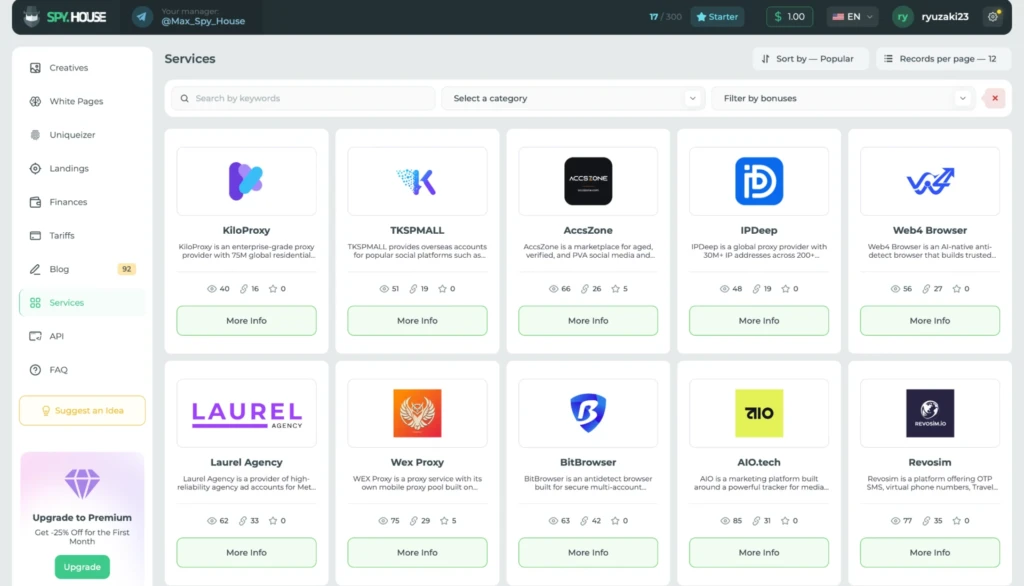
This section brings together third-party services for affiliates. The directory includes proxy providers, anti-detect browsers, and account stores.
Each service has its own card with a short description and a link to its website. You can filter the directory by category and bonus availability, or sort the listings by popularity.
How to Add Funds to Your Spy.House Balance
There are three ways to fund your balance: USDT, Pay2.House, and Capitalist. Once you’ve selected a payment method, enter the amount you want to deposit and click “Deposit.”
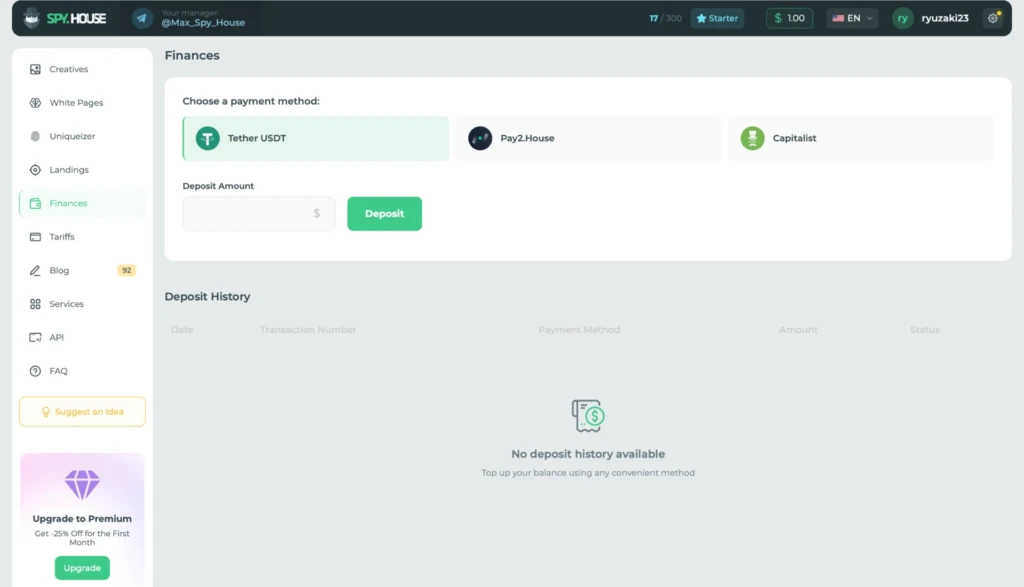
Your deposit history is displayed below, including the date, transaction ID, payment method, amount, and current status.
Spy.House Pricing
Spy.House has four pricing plans. All of them include the same set of tools, with the main differences being the limits on creative searches and uniquification, as well as the cost of White Page generation.
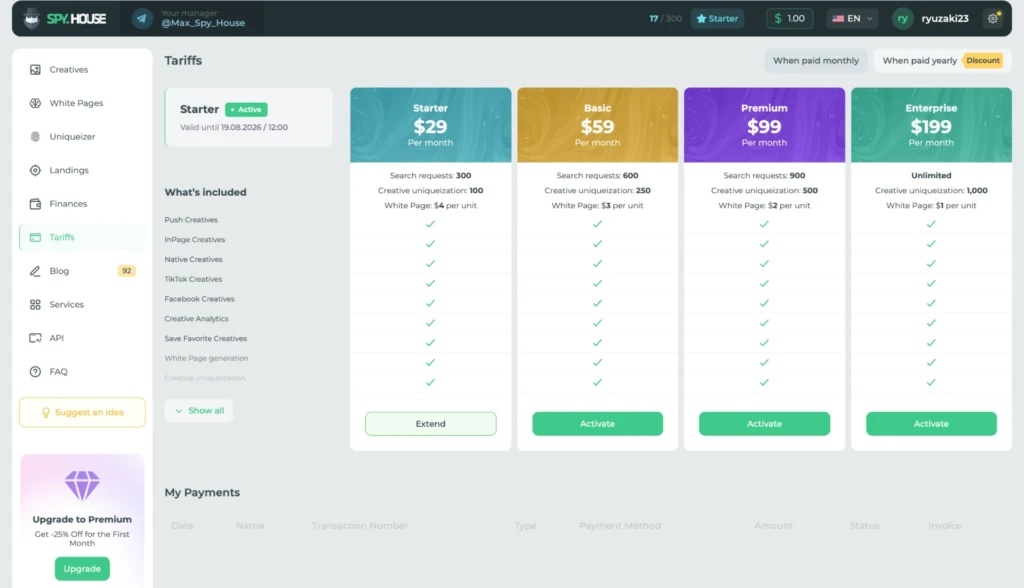
- Starter ($29/month). Includes 300 searches and 100 uniquifications. Each White Page costs $4 to generate.
- Basic ($59/month). Comes with 600 searches and 250 uniquifications. White Page generation costs $3 per page.
- Premium ($99/month). Includes 900 searches and 500 uniquifications. The price drops to $2 per White Page.
- Enterprise ($199/month). Searches are unlimited, while the plan includes 1,000 uniquifications. Each White Page costs $1 to generate.
All plans are also available with annual billing at a discount.
Final Thoughts
Given its feature set, Spy.House is more than just a standard spy tool for finding creatives. It covers several traffic sources, including Facebook*, TikTok, Push, InPage, Native, and Adult networks. For affiliates working with multiple sources, this means there’s less need to pay for a separate spy tool for each one.
The vertical filters are another strong point. Most spy tools offer ready-made searches for only a handful of popular niches, while the platform provides a much wider selection. These include nutra, dating, e-commerce, crypto, finance, and other verticals.
The feature set doesn’t stop there: there’s also a White Page generator and a creative uniquifier.
Plans start at $29 per month, which is relatively affordable for a spy tool with this range of features.