


Spend.net features, and traffic monetization schemes. It's gonna be hot!
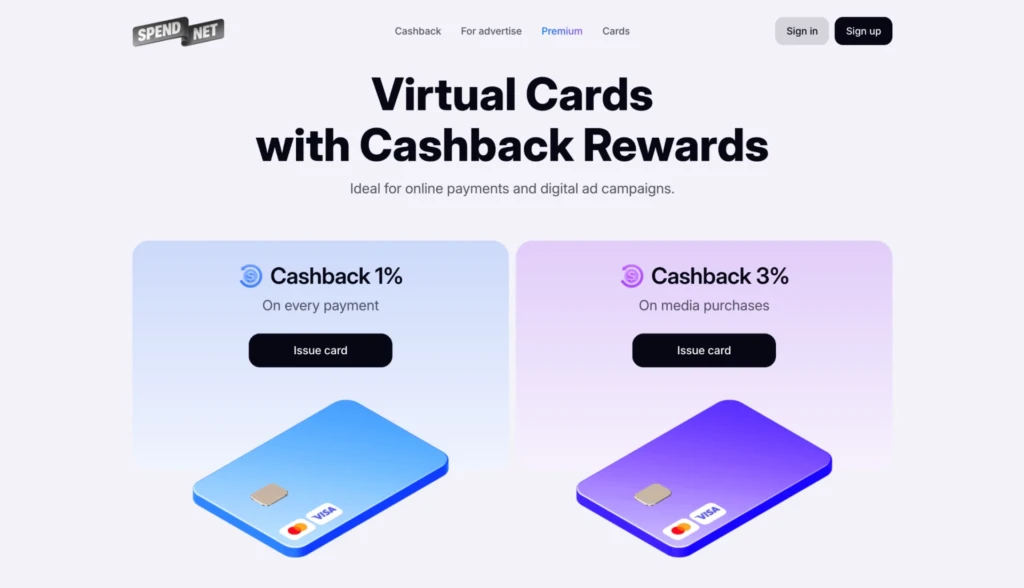
Spend.net is a financial service for issuing virtual Visa and Mastercards with built-in 3% cashback on ad spend. The project was created to handle budgets of any size, working for both solo media buyers and large marketing teams. Beyond ad cards, users can get universal payment cards with 1% cashback to manage their daily online expenses. All cards on this platform can be generated in any quantity without restrictions.
A great setup means nothing without stable billing. If ad networks block your cards, your traffic stops instantly. That is why a reliable payment provider is essential.
In this review of Spend.net, we will explore the platform’s core mechanics and main advantages. We will outline its fee structure, the registration process, and how to issue virtual cards for different ad networks. We will also break down how the service helps teams reduce operational costs through its Premium features for media buyers.
Main advantages of Spend.net
Every feature on Spend.net is built for practical use, helping teams cut costs and save time on routine operations.
The core benefits include:
- Instant cashback: The system automatically returns up to 3% on ad spend and 1% on other purchases. These funds hit the balance immediately after any transaction.
- Extensive BIN pool: Users access more than 25 active Bank Identification Numbers (BINs). The Spend.net team provides six of these exclusively.
- 3D Secure: This security protocol comes enabled by default across all cards.
- Free & unlimited issuance: Users generate as many virtual cards as they need for $0 per card.
- Premium features: High-volume paid tiers lock in a set deposit commission, unlock instant withdrawals, and raise the monthly cashback ceiling.
- One-minute start: Account creation via Google or email takes seconds.
Fees and balance top-ups
The fee structure is another core advantage. The service removes charges for all major operations:
- 0% on transactions;
- 0% on declines;
- 0% on exchange operations and refunds;
- 0% on card or account withdrawals;
- 0% on balance top-ups for deposits over $50 (users only pay a minor service fee if the deposit falls below this mark).
BIN-checker tool
The free BIN-checker is another special feature of Spend.net. This tool reveals the specific card tier and issuing GEO before users generate a card. Knowing this data upfront helps buyers predict authorisation rates accurately. Instead of testing blindly, teams can strategically allocate specific card pools to match the exact trust requirements and location rules of different campaign setups.
Overview of card types
Media buyers working with multiple traffic sources do not need to test cards blindly. The platform provides ready-made solutions for two main categories: ad spend and digital services.
Ad spend cards with 3% cashback:
- Facebook Ads cards: These cards are specifically configured to pass Meta’s strict compliance rules.
- Google Ads cards: These pass Google’s strict payment compliance rules without manual appeals.
- TikTok Ads cards: These bind directly to the network’s billing without extra configurations or long warm-up periods.
- Advertisement cards: Teams use these universal ad cards for other popular traffic networks, including Reddit and Pinterest.
Digital service cards with 1% cashback:
- Universal payment cards: Teams use these to cover operational costs and personal purchases. They process payments for SaaS subscriptions, neural networks, and other digital tools.
The Spend.net team regularly updates the card pool to maintain high trust rates. Routing different expenses through these categorised cards helps buyers build a natural payment profile. This strategy drastically reduces the risk of triggering Risk Payment bans.
Registration on Spend.net
To register, go to the official Spend.net website and log in via your preferred method — Google account or email. The personal dashboard opens immediately, allowing you to explore the platform’s features.
The Spend.net dashboard is simple and easy to navigate. Onboarding takes very little time because the interface is clean and free of unnecessary features.
The platform offers three KYC tiers to unlock all features. Users can choose the level that fits their needs. To start issuing cards, the basic KYC is enough. This starting tier only requires a first name, last name, and an email address. An automated system verifies this data in under one minute.
After approval, you can immediately top up your balance and issue cards. Issued cards come ready to use right away and bind to ad accounts instantly — they require no additional activation.
How to get Premium features
If you run high volumes, scale campaigns, and need specific terms, you should look into the paid plans. The Spend.net platform offers four Premium tiers.
Each tier allows you to:
- Raise the cashback payout limit (up to $5,000 per month);
- Lock in a fixed deposit commission;
- Withdraw profit and unused funds instantly;
- Access priority VIP tech support.
What you need to know about topping up your Spend.net account
Accounts fund exclusively via cryptocurrency, using either USDT (TRC20) or Bitcoin.
The Spend.net platform only charges an incoming deposit commission. This rate is not fixed. Users control this fee when funding the balance: larger deposit amounts secure lower commission rates.
Once cleared, users convert these funds into USD instantly inside their dashboard by selecting the amount and clicking Exchange.
Customer support
Support operates 24/7. To contact a manager, use the live chat window in the bottom right corner of your dashboard.
The tech support team thoroughly understands the specifics of working with ad networks. They answer billing questions promptly, help resolve declined payments, and select the optimal Premium tier for your media buying volumes.
Conclusion
Spend.net cuts operational costs through zero fees and provides ready-made card solutions that bypass strict ad network rules. The platform removes the friction of manual testing by routing specific virtual cards to strict billing engines like Facebook, TikTok, and Google.
Share your experience about using Spend.net cards in the comments below.